And finally NetBeans 6.8 is here! Look here, here and here for the features and get it here!

And finally NetBeans 6.8 is here! Look here, here and here for the features and get it here!
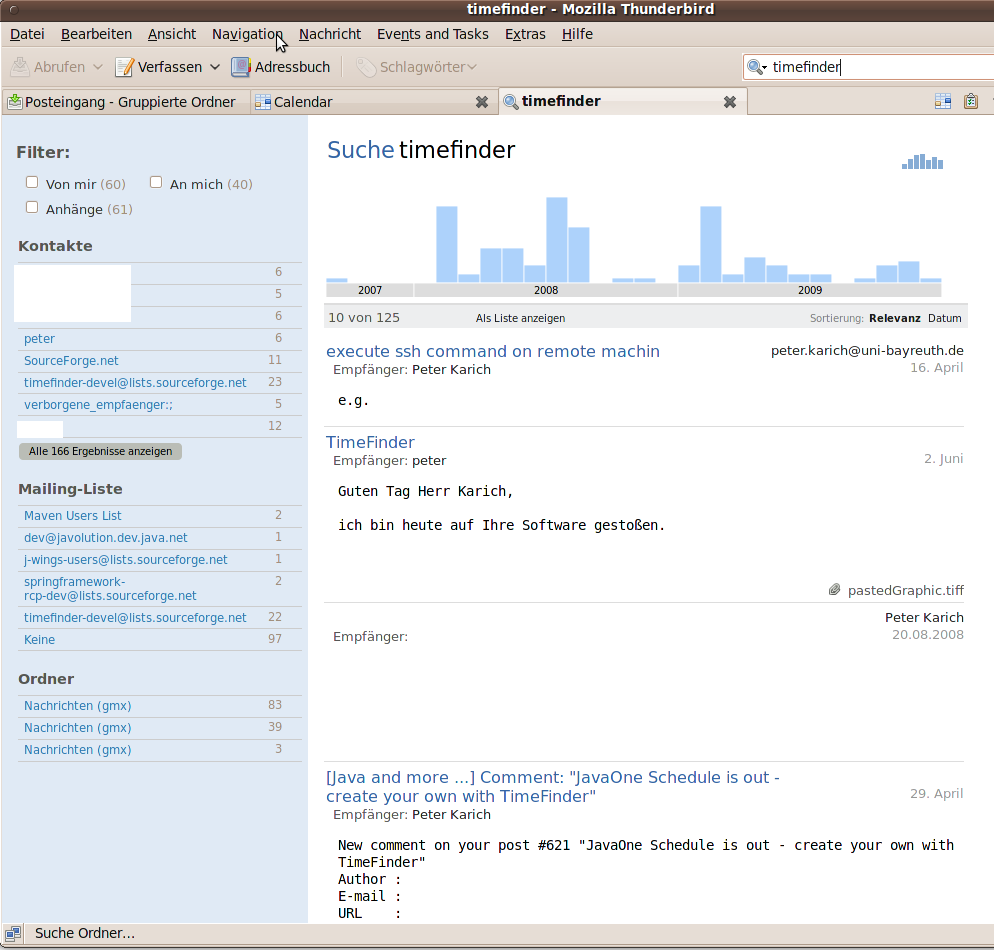
It is amazing. I thought all is fine with version 2, but now I see that several things can get a lot better in thunderbird 3!
@developers: Thanks a lot for this!
PS: If you have problems with upgrading
Normally the following is not necessary… but for your convenience:
Today I explain a possibility of a pure Java-based client/server application (the client side should be a Rich Internet Application) with a database backend.
I know that other people might already had this idea and others implemented this in a different way and Griffon is on the way, but let my explain it now in (more) detail. It is only an aggregation of existing tools.
We simply replace the HTML-view of an ordinary Grails application with Griffon! So instead of a browser we will have the mature JVM and we could programm all in Java/Groovy! No JavaScript, no HTML, no CSS, no …!
(Ups. No CSS? Okay we could use css on the desktop, too)
Shouldn’t this be an easy task to replace the V in an MVC application? The problem lays in the detail. E.g. do we need the full GORM functionality on the client side (‘remote GORM’)?
The cayenne framework (a nice hibernate alternative) supports the so called remote object persistence which would be great for this kind of application. They use the hessian library to communicate over HTTP from the client ‘over’ the server to the database. So, the db-programming-style on the client is nearly identical to that on the server!
So, do we need Person.findByXY and all the other, useful methods on the client? I fear tweaking hibernate is necessary but maybe with some grooviness we could avoid this!?
Another simpler approach would be to use the already available services of Grails for the client side. With Xml (Un-)Marshalling or SOAP like it was done before? But hmmh, I prefer the cayenne way … its groovier!
To be a bit more specific: we would actually only need the GORM plugin (and Spring) from the Grails project for the server to communicate to the DB and manage the migrations.
We need the full Griffon stack for the client. And if we only use GORM from Grails we will use Griffon also on the server side, I guess.
So either GORM+Griffon+Griffon (db+server+client), which would be more consistent
or GORM+Grails+Griffon which could be easier to implement at the moment.
We need some nice to have packages from the Spring Rich Client project for the client side: validation, window-docking, master-details stuff, …
Additionally to the GORM plugin we will need the Hessian library to easily (!) communicate between the client and server. (Short explanation: Hessian library is RMI without drawbacks.) Later on we could implement a remote GORM with the help of this library (see above)! Without this functionality we won’t have fun: either we can only implement a two tier applications (client+db) or the programming is as slow as it would be with an ordinary non-groovy desktop application (via SOAP etc).
Why do we need JavaFX if we already have Groovy as the UI DSL? Marketing! That would mean a broader audience and maybe some tiny support of Sun 😉
Another feature of JavaFX would be that designers could create good looking SwingUIs for us without knowing Java/Groovy.
Yesterday I annouced a new version of TimeFinder. With that version a new and very simple component called TimeFinder Planner is included and can be easily integrated into an existing Swing or Spring RC project. It is already mavenized but I can deploy a full jar if necessary.
Of course it is not as feature reach as MigCalendar, but you can use it as a read only calendar component in you own apps – it is Open Source (Apache License 2), small (<30KB) and has only relative few dependencies (~1MB). It supports ‘conflicting’ events, i.e. if events would be at the same time.
Look here for some screenshots in my TimeFinder application:

At the same time you can ‘zoom’ into one event simply via the “mouse over” action. And it should be able to handle any possibility of conflicts (overlapping events):
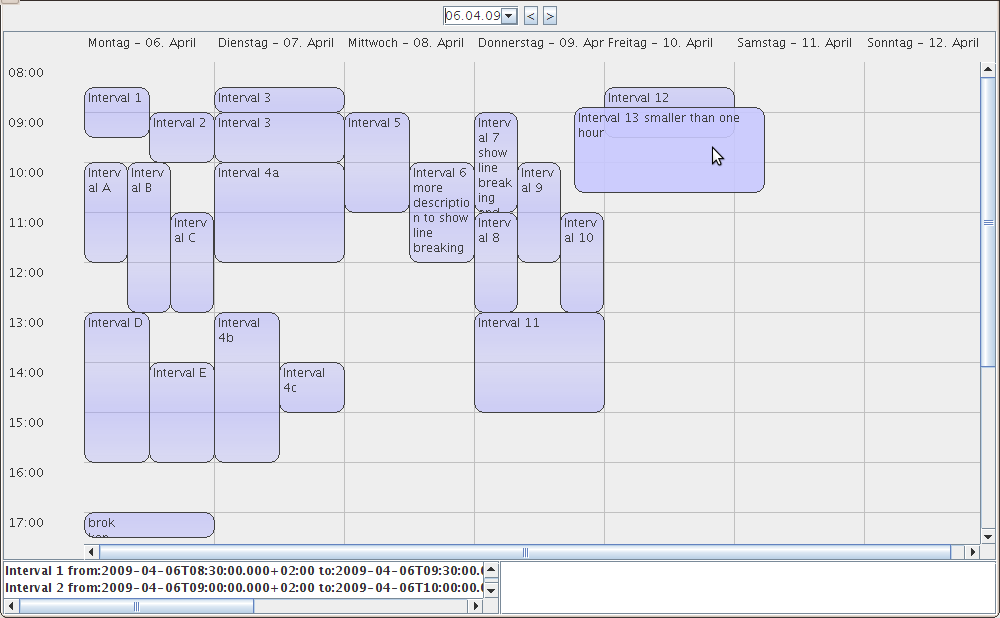
The performance should be also good even for a lot of events per week (independent from all events!). This cannot be seen in a screenshot but you can try TimeFinder and import the data of JavaOne 2009 via the ‘File’ menu item. Look here for the video explanation.
TimeFinder allows universities and schools to reduce and even avoid conflicts in the timetable! TimeFinder will improve the work of the human timetabler at the institute. A lot of work which would be done by hand to create the educational schedule could be done with TimeFinder.
TimeFinder is completely free and independent of the operating system (via Java 6). The power of TimeFinder is its algorithm. It eliminates the hard-conflicts of nearly all datasets of the International Timetabling Competition 08 in under 20 seconds on a normal laptop. And it can be applied on real data like the one from University of Bayreuth.
Pictures tells a lot more than 1000 words, so here is a video as introduction
and here are some screenshots:
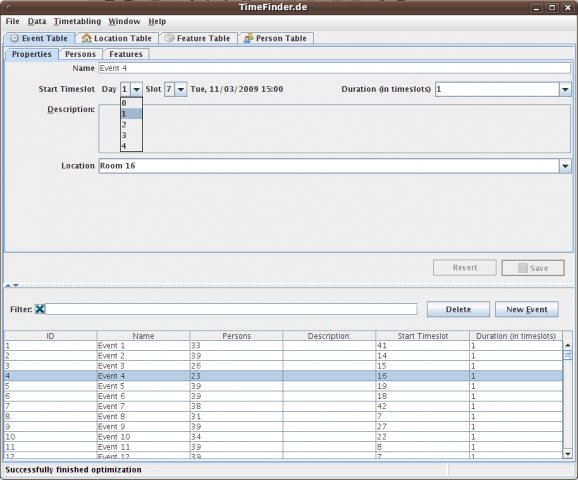
The first screenshot is how editing of events works
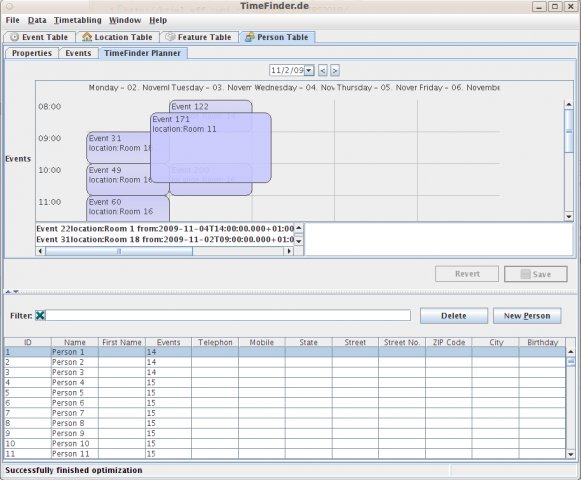
And here you see how TimeFinder optimized an instance of the International Timetabling Competition 08:
See some more screenshots and look again here for the video documentation.
New Features
The TimeFinder Team worked hard to add the following features in this version for you:
Support
No software is complete or bug-free, and so is TimeFinder which is beta software at the moment. You are free to support TimeFinder with your constructive critique, blog posts or even money if you like to make it better. Feel free to contact me or raise an issue if you find a bug.
Check the documentation or watch an introductive video to get an overview. Keep in mind that updating documentation is still work in progress.
You can win
If you know some Java and like coding GUIs, databases or algorithms you can contact me and win experiences via joining the project!
Especially the calendar component TimeFinderPlanner could be alluring for people with Java2d experiences or interests in this area.
Thanks!
This application wouldn’t be the same without the following nice open source projects:
… and last but not least thanks to NetBeans – the only IDE you need
and Yourkit profiler, which offers open source projects a free license!
Nice application!
Normally one could use the GUI (gtk-recordMyDesktop) but I had a small problem: audio and video was not in sync. I worked around via specifying my headset on the command line tool directly via
-device plughw:0,0
Thats it!
recordmydesktop --width 800 --height 640 --v_quality 20 --s_quality 10 --delay 3 --fps 10 --overwrite --device plughw:0,0 -o timefinder-v4-screencast.ogv
If this does not work for you look here, here, here or try to disable compiz via System -> Preferences -> Appearance -> Visual Effects
and include –no-wm-check
Or use the command where I got the best results:
recordmydesktop --width 1024 --height 800 --v_bitrate 2000000 --s_quality 10 --delay 1 --fps 20
--overwrite --device plughw:0,0 --no-wm-check --buffer-size 65538 --freq 48000 --quick-subsampling
--on-the-fly-encoding -o timefinder-v4-screencast.ogv
To convert this into a youtube video do:
mencoder -idx timefinder-v4-screencast.ogv -ovc lavc -oac mp3lame -o timefinder-v4-screencast.avi
or
ffmpeg -i timefinder-v4-screencast.ogv output.mpg
To cut sth. from the video you can do:
ffmpeg -vcodec copy -i timefinder-v4-screencast.ogv -ss -00:00:10 -t 00:07:11 output.ogv
On blip.tv you don’t need this! Simply upload!
TimeFinder is an Open Source Timetable Optimizer for universities and schools, which uses the Spring Rich Client project to create an easy to use application with a nice user interface, a database and … more bla bla …
ok, it is a bit dingy headline and a more dingy introduction, but I would like to invite you to test the latest development version v4 of TimeFinder now! And without such a headline you woudn’t have read this. And I feel that I would like to release TimeFinder in the next weeks, so I need some beta testers. Go here to see some screenshots.
Get the dev version of TimeFinder here, double click the jar (optionally read the documentation for v1) and tell me:
Any feedback is welcome! Please contact me at peathal AT yahoo |dot| de, post an email to the mailing list or simply leave a comment here.
There are two solutions to scroll within the linux command top (shows memory+cpu consumption of all processes):
top -n 1 -b
I simply did (Go to the full upgrade instructions for more information.)
sudo do-release-upgrade
and clicked “ok” two times. That was all!
Within ~40-60 minutes (while I did something in parallel) it reinstalled a lot of packages, the kernel, …
Additional Info:
Thats all! I like updating the ubuntu/debian way 🙂
 Navigatone