OpenOffice

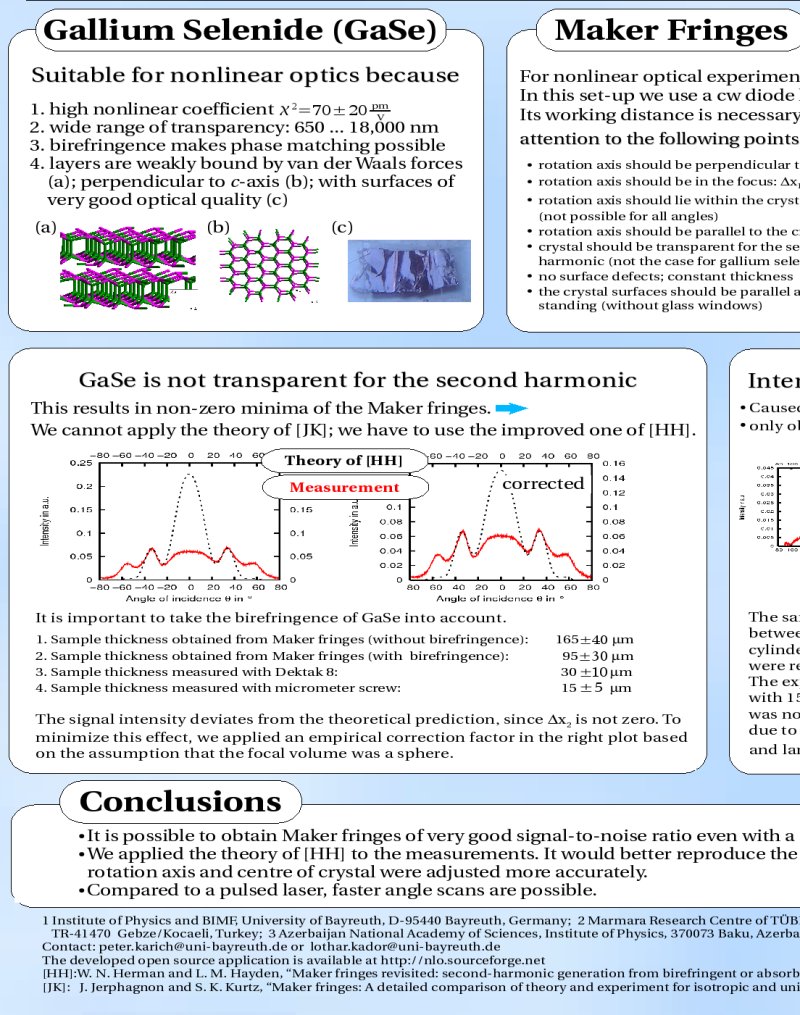
For my diploma thesis in physics I had to create an A0 poster in OpenOffice (OO) to present the work on the dpg (german physicist association) in berlin. This was easy, but some things were annoying. E.g. the formulas are pictures and not integrated in the text. But I like the formula editor, which is better than in comparable office suites.

And I decided against e.g. scribus, because inserting formulas is not possible at the moment you can only import them via pdf’s created by latex. BTW: you have to do this via ‘import picture’!.

OO is really powerful: importing various formats, supports a lot of character types and you could create pictures or sketches within OO. I didn’t do that because the pictures in the latex-thesis itself has to be .eps files. The exported .eps files from OO weren’t readable. (Why?) So, I did it with inkscape – a wunderful and intuitive vector graphics tool I think.

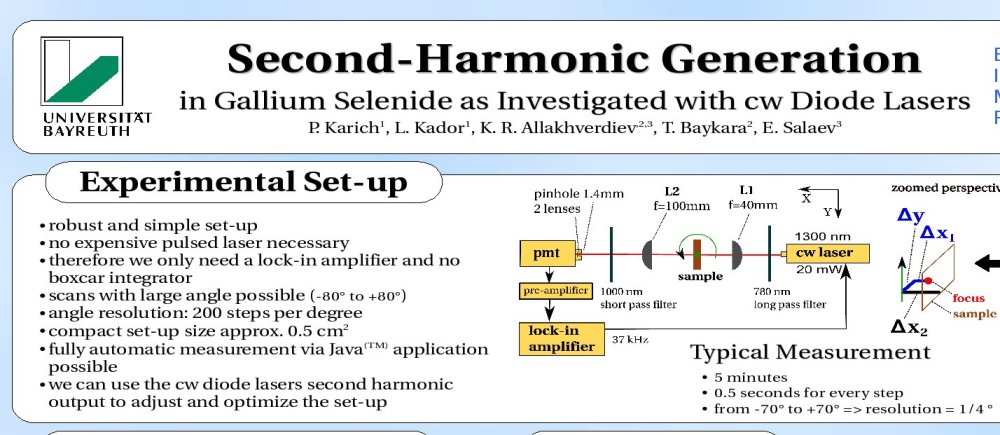
Here a small picture of the result:

Poster (Top)

Poster (Left)

Lizenztext und Benutzername | Custom License-text and User-name for NetBeans

Ich habs endlich hinbekommen: jede neue Datei trägt meinen Name als @author und meine eigene Lizenz im Dateikopf.

(For the english version see below)

Eigener Lizenztext

Zuerst müsst ihr den Lizenztext z.B. nach /home/user/quell/license-lgpl.txt kopieren. Der Name dieser Datei ist dabei wichtig.

Als nächstes in der projekt-spezifischen Datei nbproject/project.properties

project.license=lgpl

einfügen. Z.B. innerhalb NetBeans: Einfach euer Projekt in der Dateiansicht ‘File’ öffnen.

Jetzt müssen wir NetBeans noch sagen wo die Datei license-lgpl.txt steckt:

Wähle in Tools->Templates den Knoten ‘Licenses’ aus und

suche mittels ‘Add..’ die vorher kreierte Datei /home/user/quell/license-lgpl.txt.

Diese sollte dann unter Licenses hinzugefügt worden sein.

Nun einfach mittels Rechtsklick auf ein Java Paket ausprobieren:

New->Java Interface auswählen und ‘Constraint’ eingeben.

Veränderter Benutzername

Dies ist ein Trick von Geertjan. Die User.properties öffnen:

in Tools->Templates->User Configuration Properties->User.properties

Dort einfach einfügen

user=Peter Karich, peat_hal ‘at’ users ‘dot’ sourceforge ‘dot’ net

English Translation

I have solved the problem in the latest NetBeans 6.1: every new file has my name as a value for the @author attribute and my own license text as header.

Your own license text

First of all you have to copy your license text e.g. to /home/user/quell/license-lgpl.txt. The name of this file is important.

As a next step go into the project specific file nbproject/project.properties and add

project.license=lgpl

E.g. with the files window within NetBeans.

Now you have to specify that you want to use this file as license text:

Go to Tools->Templates and choose ‘Licenses’ then search via ‘Add..’ the previously created file /home/user/quell/license-lgpl.txt.

To test it right click on a java package and choose:

New->Java Interface auswählen; then type ‘Constraint’ and you should see the license header.

Here is an example of an adapted apache header:

<#if licenseFirst??>
${licenseFirst}
</#if>
${licensePrefix}This file is part of the TimeFinder project.
${licensePrefix}Visit http://www.timefinder.de for more information.
${licensePrefix}Copyright ${date?date?string(“yyyy”)} the original author or authors.
${licensePrefix}
${licensePrefix}Licensed under the Apache License, Version 2.0 (the “License”);
${licensePrefix}you may not use this file except in compliance with the License.
${licensePrefix}You may obtain a copy of the License at
${licensePrefix}
${licensePrefix} http://www.apache.org/licenses/LICENSE-2.0
${licensePrefix}
${licensePrefix}Unless required by applicable law or agreed to in writing, software
${licensePrefix}distributed under the License is distributed on an “AS IS” BASIS,
${licensePrefix}WITHOUT WARRANTIES OR CONDITIONS OF ANY KIND, either express or implied.
${licensePrefix}See the License for the specific language governing permissions and
${licensePrefix}limitations under the License.
<#if licenseLast??>
${licenseLast}
</#if>

Change your user name

This trick is from Geertjan. Open User.properties in Tools->Templates->User Configuration Properties->User.properties

Replace all stuff with

user=Peter Karich, peat_hal ‘at’ users ‘dot’ sourceforge ‘dot’ net

and you are done.
Language Shoot-Out

It is nice to have an impression in which programming language others write their programs.

TIOBE publishes a comparison on how popular a language is in the community (based on Google, MSN, Yahoo!, and YouTube searches)

Hopefully there will be (some day) more informations about that. E.g. how many projects registered on sourceforge, freshmeat, (not javaforge of course) etc. used a specific language and how much lines were written for these projects. This would be interesting. But of course every language has its pros and cons…

Although you can see a slightly decrease (except for C#) of the major languages like Java, C++ and C. Scripting languages have gain and will gain more importance – if hardware performance and number of available libraries will increase.

Java Kernel released

The first version of the java kernel released! So you can download a file which is less than 1MB and ‘immediately’ run java applications (or WebStart etc.)

Currently this ‘feature’ is only available for windows XP (or lower), but I am sure that the packages for other OS’s will come in the near future.

Check here for updates.

How nerdy are You?

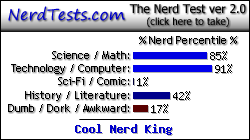
The results of the funny nerd test is summarized in the following picture. Although I am not proud to be a nerd king, because nerdy means: unattractive or socially inept, but intelligent person. And I am definitely NOT socially inept. And my girl said I am not unattractive, but this is relative as intelligent is relative 😉

nerd

Goto http://www.nerdtests.com

Enjoy! And find out how nerdy you are!

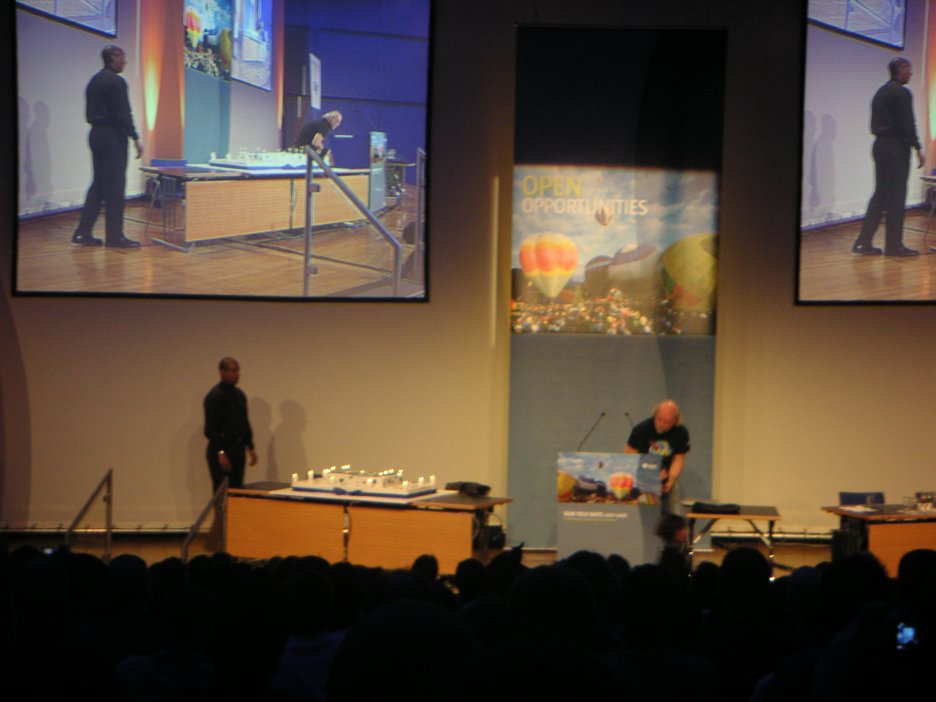
Sun Tech Days

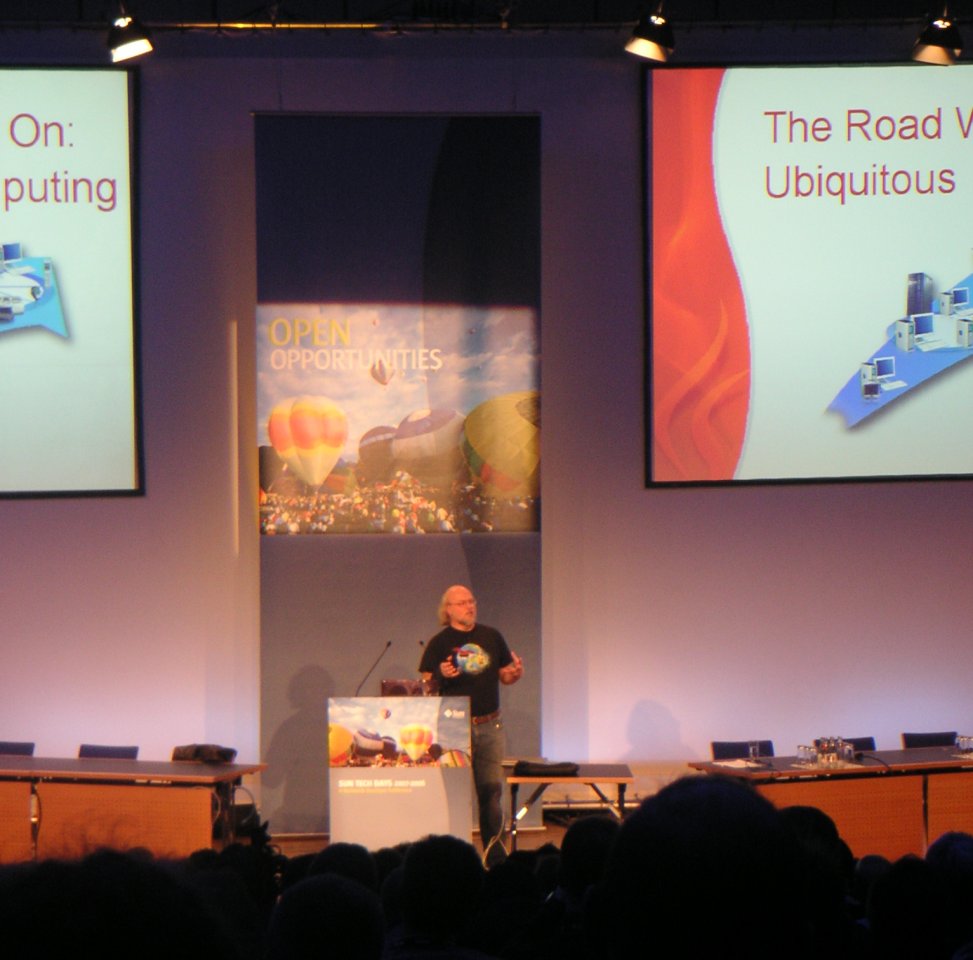
This week I visited the Tech Days in Frankfurt, but I couldn’t visit the NetBeans Day 😦

I will write some more information as update here and post some images in an extra entry. Additionally I will point to the slides as pdf from this entry here if they become available.

By train it was relative easy to reach the congress center in Frankfurt, but I was late because the train from Bayreuth takes more than 4 hours…

I went directly into a talk of Inyoung Cho about Java SE 6. It was a good overview, but I expected more details or more technical description of some features.

Then I listened to the talk about javafx. JavaFX is cool, but not easy as I guess after trying it for myself. You should download the JavaFX plugin within the new NetBeans 6.0 (tools->plugins). You can try the following tutorial taken from this list.

I attended the ‘real time java’ session – now I know what preemptiv means: several applications can run in parallel but one application could block the entire (operating) system, this is not secure but necessary for real-time systems! I learned a lot of useful information e.g. that the garbage collector introduces nondeterministic behavior, but then at home (because I don’t have a laptop) I wanted to download the RTJS – but it is available as evaluation only!! 😦 This is bad… I couldn’t try it for my project nlo, which is open source. Here you can try it for yourself:

http://www.rtsj.org/

https://rtsj.dev.java.net/

http://java.sun.com/javase/technologies/realtime/

Sun provided all the food and they donated every attendee a rucksack! And because I am a SDN member I got the event for free…
But now it’s enough advertising … and you should definitely check out jBeam.de 🙂

Heinz Kabutz and Kirk Peooerdine talked about concurrency and gave us some (ten) laws:
# if you catch an InterruptedException rethrow it or be sure you set the interrupt flag again.
# do not use a lots of threads and look at one thread at a time (while debugging)
# additionally threads should increase performance – so use max. 4 theads per core.
Use ExecutorService or ThreadPool’s that control the number
# different threads could see a different value of a variable, because the JVM is
allowed to cache the variables. So use volatile or synchronize the reads and writes
# The JVM is even allowed to reorder statements – so do not be too clever!
# += is not atomic, but use ReadWriteLock instead synchronize which solves the
problem, too. Or use AtomicInteger, because we need to protected the data and not
the whole code.
# don’t use String for locking (because is only one instance per string -> internalString)
# autodeadlock detection on javaspecialist.net
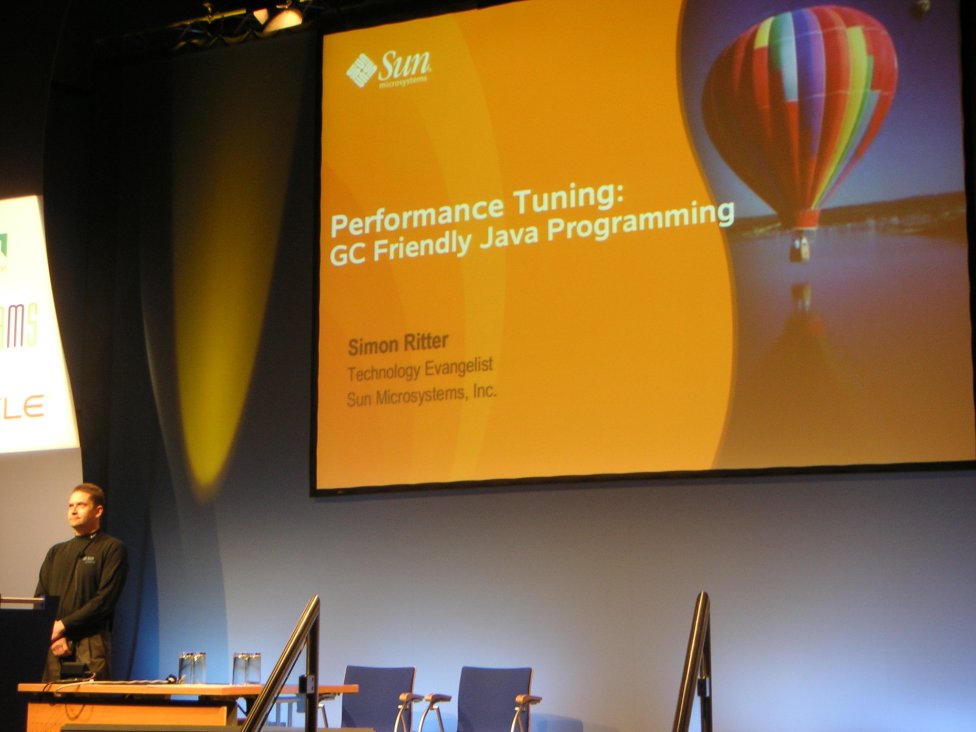
Another interesting theme is performance tuning; Simon Ritter explained all
the basics (there are two generations: young and old …) of the object allocation
in the jvm and then he said sth. about the hidden switchers ‘-XX’ of the JVM:
# -XX+UseTLAB switches on the thread local allocation, normally the space has
only one pointer which could slow down performance.
# -XX:CMSTriggerRatio tunes the GC interval. (CMS=concurent marking step)
# -XX:CMSIgnoreDutyCycle
# -XX:+UseLargePages, -XX:LargePageSizeInBytes=8M

GC loves small, immutable and short lived objects.
Avoid explicit calls of System.gc() trust the JVM!
Don’t write your own objects pools: this could reintroduce the C++ problems.
Further information:
portal.acm.org/citation.cfm?id=604153
developers.sun.com -> TS-3281

Last but not least we all get the ‘solaris developer edition’. But it
does’t run on my machine (to less memory – you will need more than 720MB, or so!)
I tried to use the ‘normal’ Solaris, but it failed too:
Setting up Java. Please wait…
Extracting windowing system. Please wait…

<nothing happens here for minutes …>