Google Will Stop Censorship in China

From google blog:

We have decided we are no longer willing to continue censoring our results on Google.cn, and so over the next few weeks we will be discussing with the Chinese government the basis on which we could operate an unfiltered search engine within the law, if at all. We recognize that this may well mean having to shut down Google.cn, and potentially our offices in China.

Thunderbird 3! Wow!

It is amazing. I thought all is fine with version 2, but now I see that several things can get a lot better in  thunderbird 3!

@developers: Thanks a lot for this!

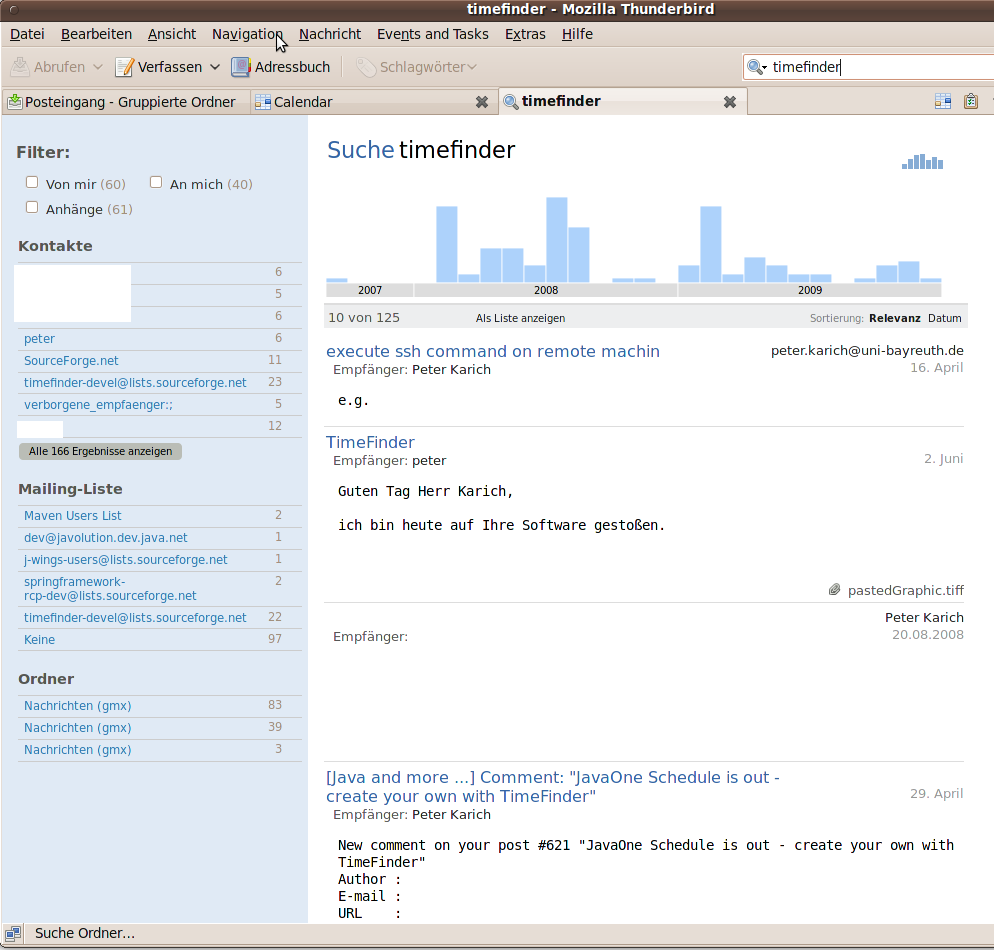
  1. Search looks very nice, is very very fast and is a pleasure to use. Easy navigating through the result set (is there a search engine under the hood? :-)).
    Here is a screenshot
  2. Fancy layout
  3. Inbox now is by default subdivided into the mailing accounts. no need for virtual folders
  4. Tab-Browsing (creating new mails won’t open in a new tab :-()
  5. See here for the full feature list!

PS: If you have problems with upgrading

Normally the following is not necessary… but for your convenience:

  • Email import / export => here
  • Calendar import / export => already there (go to the calendar->events+tasks->import or export)
  • Addressbook import / export => every list has to exported/imported alone

NetBeans 6.7 finally released

Since today the final version of NetBeans 6.7 can be downloaded here. And do not forget to look here for a feature overview.

If you tried the release candidates of 6.7 you will welcome all the new features! Great work! Where can we donate?

The first impressions of this release for me as a NetBeans user are:

  • seems to use less memory
  • imported the settings of 6.5 with no problems
  • you can now simply install plugins of a previous installation. this is especially useful if the plugin is not available from the update center.
  • maven is now integrated (no need to install it as plugin)
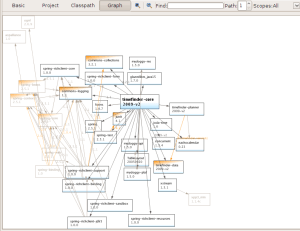
  • you can view maven dependencies graphically (like eclipse already had). See below. And: there is a new button “Build with dependencies” in the right-click-on-project-menu.
  • interrupting maven execution is now possible
  • now test cases execute a lot faster for mavenized projects
  • executing one test via CTRL+F6 instead SHIFT+F6, so that you can execute the corresponding test even if only the java class file is open. (CTRL+SHIFT+F6 for debug test file)
  • all tests (java, ruby, …) happen in the same tab and several search tabs are possible now
  • if you open a resource with ALT+SHIFT+O a case insensitive string now works a friend told me that this was already the case for him earlier than 6.7 … hhmhh …
  • Synchronize Editor With Views -> “The project explorer will then snap to the file currently being edited” (taken from here)
  • some small issues remains:
    • cannot open the source file if you click on the failed test output (and only if you execute the tests of one project)
    • if you miss a static import e.g. import static org.junit.Assert.*; the auto fixing does not add this.

Unit tests

nb6.7-unit-tests

Maven dependencies

nb6.7-mvn-dependency-graph

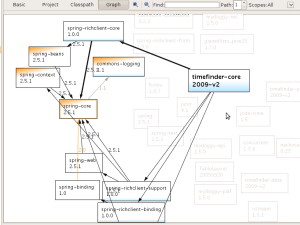
But the cool thing here is that clicking e.g. on spring core shows you all the possible paths to it and grays out all the unimportant

nb6.7-mvn-dependency-graph2

see some comments on JavaLobby

Thank You for Your Interests!

Thanks for your attention and comments the last months! Hope you will enjoy the next months …

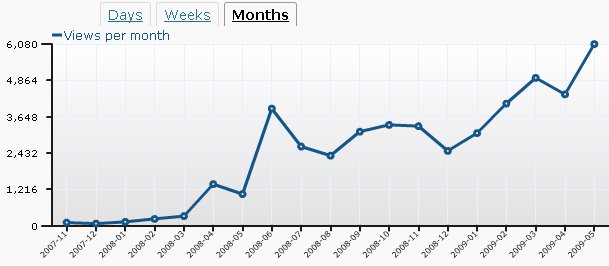
I started my blog in November 2007.  Now, May 2009 was the first month with more than 5 000 users (and even over 6000 -> 6080).

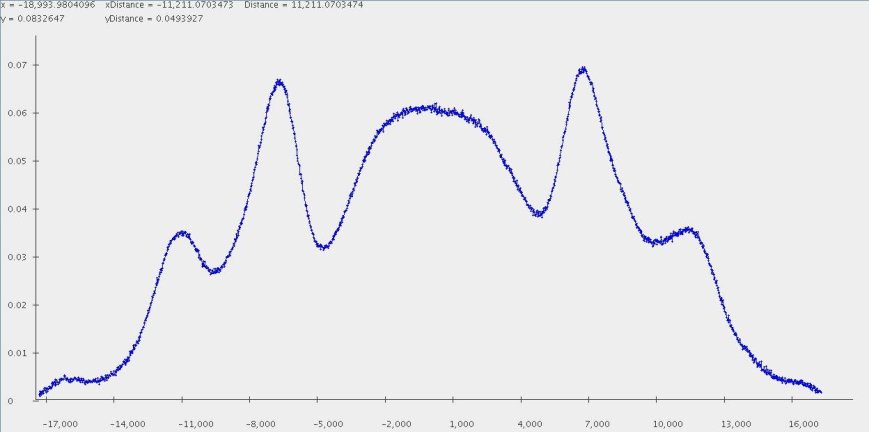
The monthly statistics looks a bit like the physical phenomena called ‘Maker-fringes’:

Stats:

stats-2009

Maker-fringes:

maker-fringes-gemessen

In my diploma thesis 2 years ago I studied this phenomena in detail.
BTW: this fancy 😉 picture I got with my performant Java genvlin plotter.

Microbenchmarking Java – Compare Algorithms

Have a look at this presentation where this post is presented as pitfall #3 !

Lesson learned. See comments 🙂

There are a lot microbenchmark tips out in the www. The intent of them differs from author to author.

Today I want to show how you could compare e.g. different algorithms. You could simply do:

int COUNT = 1000000;
long firstMillis = System.currentTimeMillis();
for(int i = 0; i < COUNT; i++) {
  runAlgorithm();
}
System.out.println("Mean runtime of algorithm in seconds:"+(System.currentTimeMillis()-firstMillis) / 1000.0 / COUNT);

There are several problems with this approach, which results in very unpredictable results:

  1. Make sure the variable COUNT is high enough (if runAlgorithm() is unexpensive). Then make sure you run this code several times. Additionally you should measure the RMS either for each runAlgorithm call or at the end of this code snippet for a better comparison with other algorithms.
  2. You should turn off the JIT-compiler with specifying -Xint as a JVM option, otherwise your outcome could depend on the (unpredictable) JIT and not on your algorithm.
  3. You should start with enough memory, so specify e.g.-Xms64m -Xmx64m. Because JVM memory allocation could get time consuming.
  4. Quit all other applications or at least you should use
    long firstNanos = mx.getCurrentThreadCpuTime();
    ThreadMXBean mx = ManagementFactory.getThreadMXBean();

    instead of

    long firstMillis = System.currentTimeMillis();
  5. Avoid that the garbage collector runs while your measurement: -Xnoclassg
    But make sure you have enough memory!

After this I got relative stable results: The difference of maximal and minimal value for the result is less then 4% after 10 runs.