Snacktory – Yet another Readability clone. This time in Java.

For Jetslide I needed a readability Java clone. There are already some tools, but I wanted some more and other features so I adapted the existing goose and jreadability and added some stuff. Check out the detection quality at Jetslide and fork it to improve it – since today snacktory is free software 🙂 !

Copied from the README:

Snacktory
This is a small helper utility for pepole don’t want to write yet another java clone of Readability. In most cases, this is applied to articles, although it should work for any website to find its major area and extract its text and its important picture. Have a look into Jetslide where Snacktory is used. Jetslide is a new way to consume news, it does not only display the Websites’ title but it displays a small preview of the site (‘a snack’) and the important image if available.
License
The software stands under Apache 2 License and comes with NO WARRANTY
Features
Snacktory borrows some ideas from jReadability and goose (ideas + a lot test cases)
The advantages over jReadability are
  • better article text detection than jReadability
  • only Java deps
  • more tests
The advantages over Goose are
  • similar article text detection although better detection for none-english sites (German, Japanese, …)
  • snacktory does not depend on the word count in its text detection to support CJK languages
  • no external Services required to run the core tests => faster tests
  • better charset detection
  • with caching support
  • skipping some known filetypes
The disadvantages to Goose are
  • only the detection of the top image and the top text is supported at the moment
  • some tests which passed do not pass. But added a bunch of other useful sites (stackoverflow, facebook, other languages …)
Usage
HtmlFetcher fetcher = new HtmlFetcher();
// set cache. e.g. take the map implementation from google collections:
// fetcher.setCache(new MapMaker().concurrencyLevel(20).
 //               maximumSize(count).expireAfterWrite(minutes, TimeUnit.MINUTES).makeMap();
JResult res = fetcher.fetchAndExtract(url, resolveTimeout, true);
res.getText(); res.getTitle(); res.getImageUrl();

How to backup ElasticSearch with rsync

Although there is a gateway feature implemented in ElasticSearch which basically recovers your index on start if it is corrupted or similar it is wise to create backups if there are bugs in Lucene or ElasticSearch (assuming you have set the fs gateway). The backup script looks as follows and uses the possibility to enable and disable the flushing for a short time:

# TO_FOLDER=/something
# FROM=/your-es-installation

DATE=`date +%Y-%m-%d_%H-%M`
TO=$TO_FOLDER/$DATE/
echo "rsync from $FROM to $TO"
# the first times rsync can take a bit long - do not disable flusing
rsync -a $FROM $TO

# now disable flushing and do one manual flushing
$SCRIPTS/es-flush-disable.sh true
$SCRIPTS/es-flush.sh
# ... and sync again
rsync -a $FROM $TO

$SCRIPTS/es-flush-disable.sh false

# now remove too old backups
rm -rf `find $TO_FOLDER -maxdepth 1 -mtime +7` &> /dev/null

E.g. you could call the backup script regularly (even hourly) from cron and it will create new backups. By the way – if you want to take a look on the settings of all indices (e.g. to check the disable flushing stuff) this might be handy:

curl -XGET 'localhost:9200/_settings?pretty=true'

Here are the complete scripts as gist which I’m using for my jetslide project.

ElasticSearch vs. Solr #lucene

GraphHopper – A Java routing engine

karussell ads

I prepared a small presentation of ‘Why one should use ElasticSearch over Solr’ **

There is also a German article available in the iX magazine which introduces you to ElasticSearch and takes several aspects to compare Apache Solr and ElasticSearch.

**

This slide is based on my personal opinion and experience with my twitter search jetwick and my news reader jetslide. It should not be used to show that Solr or ElasticSearch is ‘bad’.

Longest Common Substring Algorithm in Java

For jetwick I needed yet another string algorithm and stumbled over this cool and common problem: trying to find the longest substring of two strings. Be sure that you understand the difference to the LC sequence problem.

For example if we have two strings:

Please, peter go swimming!

and

I’m peter goliswi

The algorithm should print out ‘ peter go’. The longest common substring algorithm can be implemented in an efficient manner with the help of suffix trees.

But in this post I’ll try to explain the bit less efficient ‘dynamic programming‘ version of the algorithm. Dynamic programming means that you can reuse already calculated information in a later step or you break the algorithm into parts to reuse information. To understand the algorithm you just need to fill the entries of an integer-array with the lengths of the identical substrings. Assume we use i for the horizontal string (please …) and j for the vertical string. Then the algorithm hits at some time i=19 and j=0 for one identical character ‘i’. Then the line

num[i][j] = 1;

is executed and saves the lengths of the 1 length identical substring.

  please, peter go swimming
i 0000000000000000000100100
' 0000000000000000000000000
m 0000000000000000000011000
  0000000100000100100000000
p 1000000020000000000000000
e 0010010003000000000000000
t 0000000000400000000000000
e 0010010001050000000000000
r 0000000000006000000000000
  0000000100000700100000000
g 0000000000000080000000000
o 0000000000000009000000000
l 0100000000000000000000000
i 0000000000000000000100100
s 0001000000000000010000000
w 0000000000000000002000000
i 0000000000000000000300100

Later on it hits the m characters and saves 1 two times to the array but then at i=7 and j=3 it starts our substring and saves 1 for the space character. Then some loops later it reaches i=8 and j=4  Now it reuses the already calculated “identical-length” of 1. It will do:

num[8][4] = 1 + num[7][3];

and we get 2. So, we now know we have a substring with two 2 characters. And with

if (num[i][j] > maxlen)

we make sure that we overwrite the existing longest substring (stored in the StringBuilder) ONLY IF there is a longer substring found and either append the character (if it is the current substring in progress):

sb.append(str1.charAt(i));

or we can start a longer substring. See the java code (mainly from wikipedia) for yourself:

public static String longestSubstring(String str1, String str2) {

StringBuilder sb = new StringBuilder();
if (str1 == null || str1.isEmpty() || str2 == null || str2.isEmpty())
  return "";

// ignore case
str1 = str1.toLowerCase();
str2 = str2.toLowerCase();

// java initializes them already with 0
int[][] num = new int[str1.length()][str2.length()];
int maxlen = 0;
int lastSubsBegin = 0;

for (int i = 0; i < str1.length(); i++) {
for (int j = 0; j < str2.length(); j++) {
  if (str1.charAt(i) == str2.charAt(j)) {
    if ((i == 0) || (j == 0))
       num[i][j] = 1;
    else
       num[i][j] = 1 + num[i - 1][j - 1];

    if (num[i][j] > maxlen) {
      maxlen = num[i][j];
      // generate substring from str1 => i
      int thisSubsBegin = i - num[i][j] + 1;
      if (lastSubsBegin == thisSubsBegin) {
         //if the current LCS is the same as the last time this block ran
         sb.append(str1.charAt(i));
      } else {
         //this block resets the string builder if a different LCS is found
         lastSubsBegin = thisSubsBegin;
         sb = new StringBuilder();
         sb.append(str1.substring(lastSubsBegin, i + 1));
      }
   }
}
}}

return sb.toString();
}

Viewing hprof from android with jvisualvm

  1. Add an additional permission to your app
    <uses-permission android:name=”android.permission.WRITE_EXTERNAL_STORAGE” />
    to your manifest
  2. Create hprof
    protected void onDestroy() {
    super.onDestroy();
    try {
    Debug.dumpHprofData(“/sdcard/data.hprof”);
    } catch (Exception e) {
    Log.e(“xy”, “couldn’t dump hprof”);
    }
    }
    or alternatively create a hprof file with: adb shell ps | grep yourpackage; adb shell kill -10 pid
  3. Get the hprof file
    android-sdk-linux_x86/platform-tools/adb pull /sdcard/data.hprof /tmp/
  4. Convert the hprof to sun standard format
    android-sdk-linux_x86/tools/hprof-conv /tmp/search.hprof /tmp/search.st.hprof
  5. Open hprof with /usr/lib/jvm/java-6-sun/bin/jvisualvm
    File -> Load -> Head dumps (hprof)


Avoid memory leaks -> take a look at the trackbacks!

Twitter API and Me

I have a love hate relationship with Twitter. As a user I see the benefits of Twitter, when looking at it without the spam, duplicates and senseless tweets e.g. through jetwick. But as a developer the Twitter API is very ‘heuristic’ and handwaving in a lot areas and makes it complicated to use. I would have been lost without the nice twitter4j project, so thanks to the author!

Now let me give you some examples of

Strange things of the Twitter API

  • The since id attribute is not supported when paginating in the search API:
    “The since_id parameter will be removed from the next_page element as it is not supported for pagination. If since_id is removed a warning will be added to alert you.”
    So you need to create your own pagination when you do not want to get already visited tweets via search API
  • Search API returns matches in URLs. This is in nearly all cases not useful. Especially for terms like ‘twitter’ or ‘google’ where the search API returns confusing tweets containing URLs search.twitter.com or google.com. But marketing companies need to search URLs and also the tweet button also relies on that ‘feature’, why not disable that and enable ‘link:http://any-link.here&#8217; ? And it would be more useful to match against the title of the website like jetwick it does, but that’s another topic.
  • Search API does NOT return complete results compared to streaming API. I.e. results from streaming API contains all tweets with the specified keywords (without tweets via the URL bug I mentioned in the previous point). But the search API in contrast can leave out ‘spam’ tweets. I’m unsure if those tweets has to be really low quality or whatever. I guess this is more a technically issue with the search API that it leaves out some tweets the streaming has.
  • REST API allows one to get only ~3200 old tweets from one user and 800 tweets from your friends (i.e. your homeline).
  • Huge amount of different API limits:
    • 350 requests per hour and user for the REST API
    • Searches are restricted to IP (unknown number much higher than the 350 requests per hour)
    • Only 2 filter streams are allowed – this is restricted to the IP. And only 200 keywords are possible per stream! But filter streams allow only approx. 50 tweets/s even if only a few keywords are used. (Then those keywords are high frequent)
    • Search API allows searches into history, but how long depends on the frequency of the term. I know this is logically for every real time inverted index of this size, but should be better documented.

Regarding API Terms

Of course Twitter has API terms. This is necessary and nice to prevent the users from spam sites etc.

But there is also a display style guideline, which I had ‘fun’ the last weekend. Where I was asked e.g. to make the hashtag links of jetwick according to the display guideline. This is annoying. Now I need to pop up a dialog instead of directly triggering a search on jetwick – hey, it is a search engine! But twitter has to make money. That is ok. But I would like to have an exception for free or open source projects. No chance 😦 … here is my email conversation regarding the minor API term violation:

Dear XY,
ok, I won't provide an API to others. Thanks for the clarification.

I've got a further question. Are the display guidelines a requirement to
be aligned with the API terms of use and to continue running Jetwick? (I
shutted it down to not being evil)

In the terms I can read as the first principle: "Don't surprise users"
which is very important for me and it would disturb the user experience
if a hashtag click (or a click on '@user') in a tweet would result in a
pop up to twitter search or something and not simply trigger a search on
jetwick.

Please do not understand me wrong, I have already several links back to
twitter: the date links to the tweet on twitter, the retweet and reply
links to twitter and finally the user links back to twitter. Jetwick is
a complete read only service (see my API access), so I would be stupid
if I hadn't links back to twitter, which actually allows my users to
share noisefree information via twitter.

Finally: If the layout guides are a requirement, would you make an
exception for Jetwick regarding the hashtag and @user links within a
tweet? Many companies make exceptions when it comes to open source
projects such as Jetbrains (IDEA), Yourkit (Profiler), Attlassian
(Confluence), ... what about Twitter?

Kind Regards,
Peter.

The answer from twitter is crystal clear that Twitter does not provide API term exceptions to open source projects like other companies does. It also indicates that the API guys have a bit too much to do as the support does not really answer my question and neither understands what github is nor what jetwick means:

Hey Peter,

Thanks for following up. The API Terms of Service, as an overriding
document, do require you to adhere to these display guidelines -- in the
same "Don't Surprise Users" section you referenced. I recommend
adding links of your own, such as "#github on Jetwick" that surface
these results. Again, I'm sorry for the inconvenience this has caused,
and let me know if you have any other questions.

Regards,
XY

A second important thing

you’ll otherwise miss is that you are not allowed to offer an API to other people. Even if your project is open source! Here the email:
“Returning Twitter data, like tweets, through an API of your own is not allowed, neither for commercial services nor independent or open-source services. We are not looking for partners to formally extend new APIs as you request.

Conclusion

So, keep this all in mind when you start to build a system using or even relying on the Twitter API. I hope this post clarifies the mystics of the Twitter API a bit! If you have encountered similar issues: feel free to comment 🙂 !

Java Tweets of the last Week, 14th February #Lucene #ElasticSearch #Solr

Now as jetwick stabilizes again here are some Java tweets which are easy to collect also for other topics like lucene (see below), netbeans etc:

  1. Search for the term you are interested in. If you want to make sure jetwick collects all results from one week: login and save your search.
  2. Then select the first (2nd, 3rd, …) day of the week or page through the results which are sorted against retweets
  3. Click on Export as ‘html’ under the results to copy & paste some of the tweets into your document.
    Then click browsers’ back-button and proceed with the next day or page. Ask me if you have problems…

Here are the collected tweets – did I missed some important news?

Java & Search: Lucene / Solr / ElasticSearch

Why Jetwick moved from Solr to ElasticSearch

I like both technologies Solr and ElasticSearch and a lot work is going into both. So, let me explain why I choose to migrate from Solr to ElasticSearch (ES).

What is elastic?

  • ES lets you add and remove nodes [Video] and the requests will be handled from the correct node. Nodes will even do ‘zero config’ discovery.
    To scale if the load increases you can use replicas. ElasticSearch will automatically play the loadbalancer and choose the appropriated node.
  • ES lets you scale if data amount increase, because then you can easily use sharding: it’s just a number in ES (either via API or via configuration).

With that features ES is well prepared for the century of the cloud [Blog]!

What’s the difference to Solr?

Solr wasn’t designed from the ground up with the ‘cloud’ in mind, but of course you can do sharding, use replication and use multiple cores with Solr. It’s just a bit more complicated.

When using Solr Cloud and ZooKeeper this gets better. You’ll also need to invest some time to make Solr near real time to be comparable with ES. This all seemed to be a bit too tricky to me (in Dec 2010) and I don’t have any time for administration work in my free time e.g. to set up backups/replicas, add shards/indices, …

Other Options?

What are my other options? There is Xapian, Sphinx etc. But  only the following two projects fullfilled my requirements:

  1. Using Solandra or
  2. Moving from Solr to ElasticSearch

I wanted a lucene based solution and a solution where it works out of the box to shard and create indices. I simply wanted more data from Twitter available in Jetwick.

The first option is very nice, no changes to your code are required – only a minor change in your solrconfig.xml and you will get a distributed and real time Solr! So, I tried Solandra and after a lot support from Jake (Thanks!) I got it running with Jetwick! But at the end I still had performance issues with my indexing strategy, so I tried – in parallel – the second step.

What are the advantages of ElasticSearch?

To be honest Jetwick doesn’t really need to be elastic – I’m only using the sharding feature at the moment as I don’t own capacity on a cloud. BUT ElasticSearch is also elastic in a different area: ES lets you manage indices very very easy! A clever thing in ES is that you don’t define the document structure in an index like you do in Solr – no, you define types and then create documents of a specific type in a specific index. And documents in ES don’t need to be flat – they can be nested as they are pure JSON.

That and the ‘elasticity’ could make ES suitable as a hip NoSql storage 😉

Another advantage over Solr is the near real time behaviour, which you’ll get at no costs when switching to ES.

The Move!

Moving to ElasticSearch with Jetwick wasn’t that easy as I hoped. Although I’m sure one can make a normal migration in one day with my experience now ;). It took a lot of time to understand the new technology and more importantly to migrate my UI code where I made too much use to construct a SolrQuery object. At the end I created a custom Solr2ElasticHelper utility to avoid this clumsy work at the beginning. And at some day I will fully migrate even this code. This is now migrated to my own query object which makes it easy for me to add and remove filters etc.

When moving to ElasticSearch be sure that it supports all feature Solr has. Although Shay works really hard to integrate new features into ES he cannot do all the work alone! E.g. I had to integrate Solrs’ WordDelimiterFilter, but this wasn’t that difficult – just copy & paste; plus some configuration.

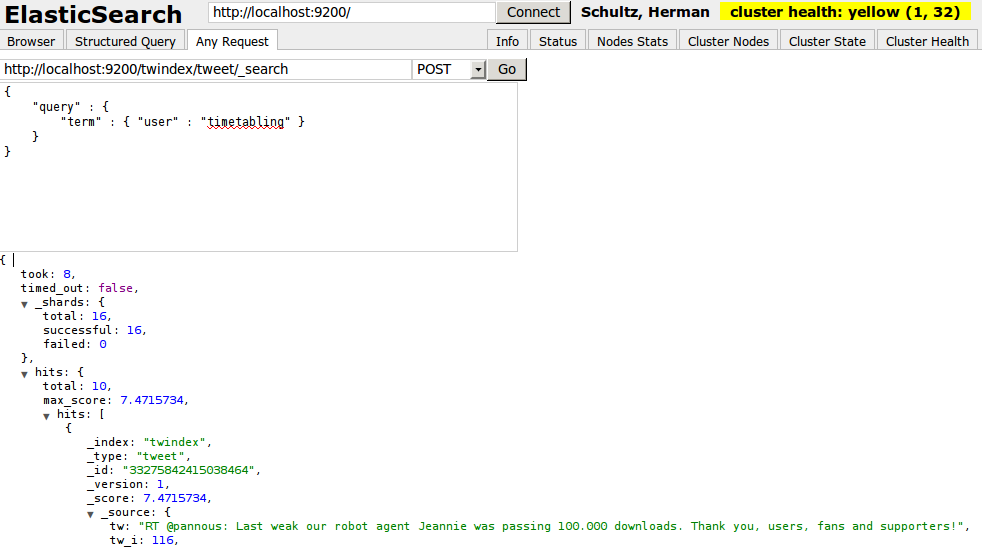
ES uses netty under the hood – no other webserver is necessary. Just start the node either via API or in directly via bin/elasticsearch and then query the node via curl or the browser. For example you can use the nice ElasticSearch Head project:
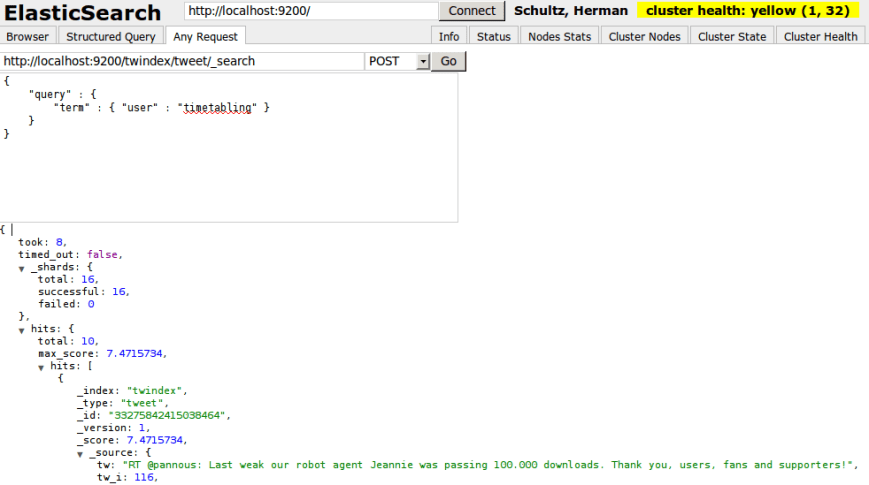
or ElasticSearch-JS which are equivalents to the Solr admin page. To add a node simply start another ES instance and they will automagically discover each other. You can also use curl on the command line to query and feed the index as documented in the REST API documentation.

No technology is perfect so keep in mind the following disadvantages which will disappear over time in my opinion:

  • Solr has more Analyzers, Filters, etc., but it is relative easy to use them in ES as well.
  • Solr has a larger community, a larger user base and more companies offering professional support
  • Solr has better documentation and more books. Regarding the docs of ES: they are moving now to the github wiki and the docs will now improve IMO.
  • Solr has more tooling e.g. solrmonitor, LucidGaze and newrelic, but you still have yourkit and jvisualvm 😉

But keep in mind also the following unmentioned notes:

  • Shay fixes bugs very quickly!
  • ElasticSearch has a more recent Lucene version and releases more frequently
  • It is very easy to contribute via github (just a pull request away ;))

To get introduced into ElasticSearch you can read this article.