Java Web Frameworks Survey

Introduction

Recently I began to play with Eclipse and web frameworks, because I will use Eclipse at work and there I will program with JSP. Another reason for this web-framework-survey is that I need a web front-end for my open source project Jetwick.
I love Swing so I looked how easy it is to program something useful with up-to-date web frameworks in comparison to Swing. For NetBeans support of several web frameworks (gwt, wicket, …) please look here.

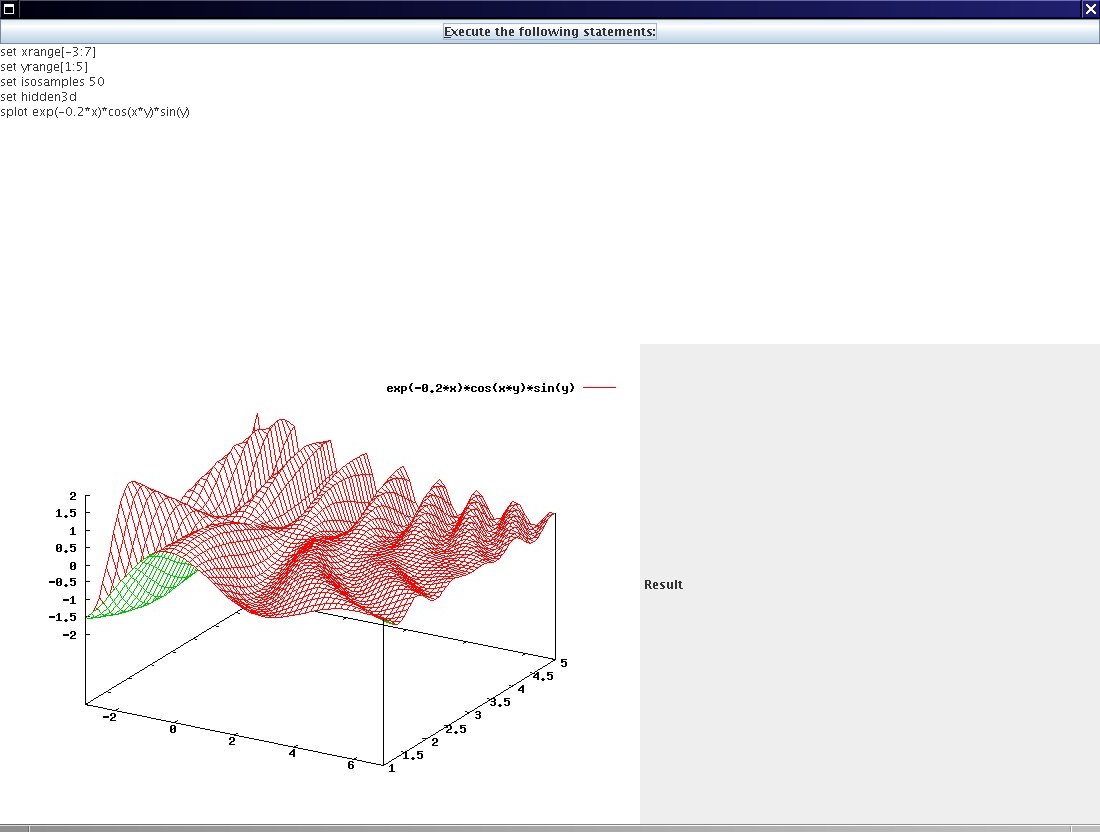
The example I implemented in all frameworks is very minimalistic, but includes three basic components. The example offers a ‘Button’ to perform some gnuplot statements, which will be grabbed from a ‘TextArea’. On the server the statements will be performed (through gnuplot) and the user gets back the calculated image. E.g. if you type ‘plot sin(x)’ and click the button you will get the appropriated graph as an image within the web page.

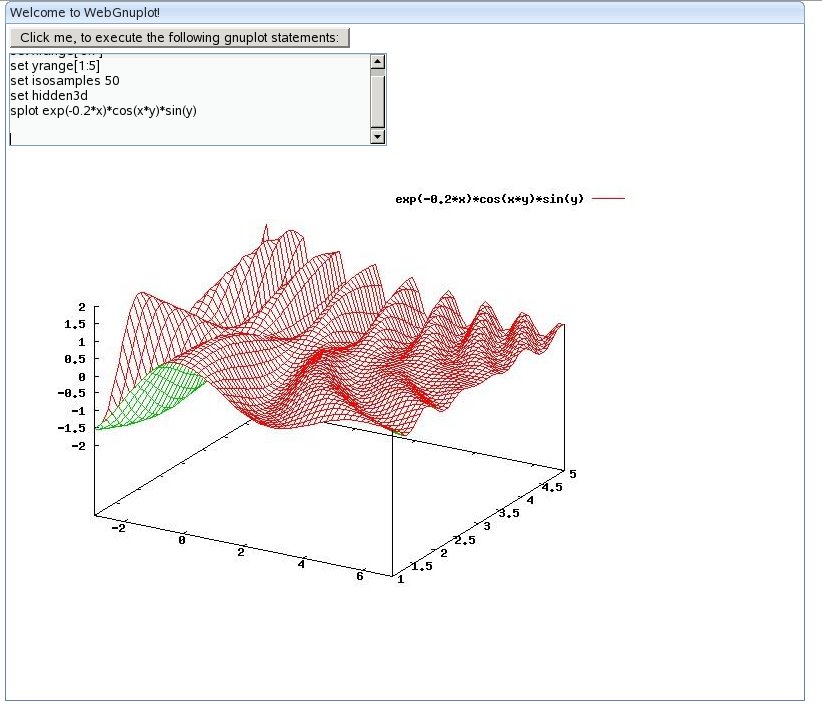
I used the following statements for gnuplot and you can increase the isosamples to 100 to see what will happen if the respond of the server takes too long:

set xrange[-3:7]
set yrange[1:5]
set isosamples 50
set hidden3d
splot exp(-0.2*x)*cos(x*y)*sin(y)

Just copy and paste this into the appropriate ‘TextArea’ of the application.

Why I chose gnuplot?

  • it is free and available under linux and windows.
  • it looks nice
  • integration into LaTeX is best (good for scientists)

I used my simple class (see WebGnuplot package) to get the image from gnuplot, although there is a nice JNIBinding for gnuplot available at sourceforge.

Web Frameworks

I only chose the ‘most interesting’ frameworks, which are open source. The decision which one is interesting and which not was random. And I excluded frameworks where I need to program directly with Javascript. If you know other projects, where I can program in pure Java, then please let me know! Or ask me if you have suggestions or questions about the implementations.

Here is the list and how to access them in the example:

Click on the links to go directly to the web page of the product. Through this web framework comparison I have the feeling that there are some categories of frameworks:

  • Swing like approach: Echo, Thinwire and WingS
  • ‘Integrate components’ into HTML: Wicket and Click
  • ‘integrate scripts’ into HTML: JSP, ZK (maybe better: ‘action based’?)
  • compile Java to Javascript: GWT

Please help me here to use existent categories. Or this one and this.

Further Work

I will add some more frameworks in a later post. E.g. Struts, Stripes, MyFaces, Seam, SpringMVC, IT-Mill Toolkit and jZeno? Please make some suggestions here.

For some more Java web frameworks look on my own list, on java-source.net or on therightsoft.com. Or take a look at this nice comparison. .

Results

Swing

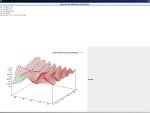
As the first step I created a Swing UI within 3 minutes – I will compare this later with the web frameworks.

Here is a screenshot of the result (It is not nice, but it was fast … and well, late):
Additional Information:

  • User Libraries: ‘WebGnuplot’ (See the resources section)

Click Framework

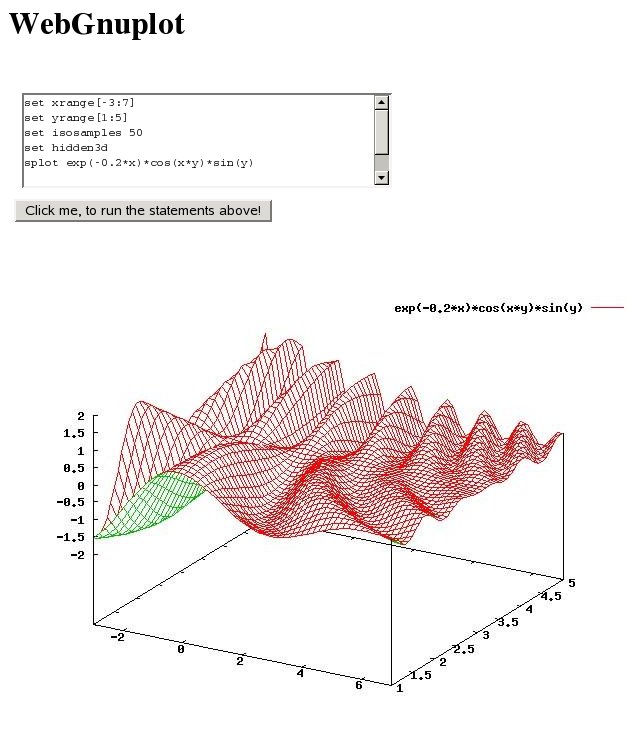
Click is compareable to wicket, but it is slightly easier I think. It is a lot easier than JSP, because you don’t need getters and setters (i.e. an extra bean) – just the variable (e.g. form) which will be mapped to the HTML correspondent ($form), which is an identifier of the used scripting language (velocity). This means you haven’t to know the HTML specific components like in wicket, although it is a plus if you know them. It took me about one hour to get it running. I didn’t try the adapted Eclipse (clickIDE), but with this IDE you should easily edit the HTML file’s e.g. velocity support for the editor.

Here you can see the result:
Additional Information:

  • It seems to me that click integrates very good with Cayenne. Cayenne is an object relational mapper (ORM) and a nice (easy!) alternative to e.g. Hibernate.
  • I needed an extra servlet, which returns the image as an OutputStream.
  • A nice page returns if an error occurs with a lot of details and the full stack trace.
  • User Libraries: ‘Click’, ‘WebGnuplot’ and ‘Servlet API’ (See the resources section)
  • License: APL 2.0

Echo

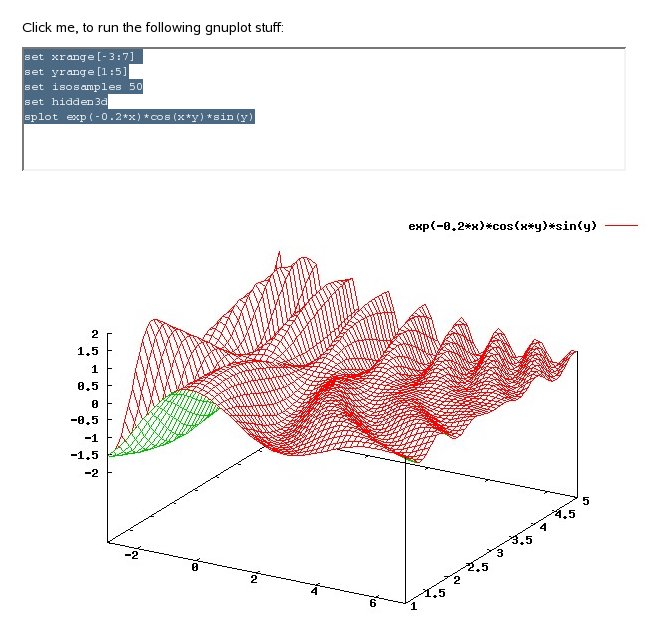
Echo was the first web framework I tried. It was very easy and fast to get it working (less than 30 minutes). The only big difference to Swing was the AwtImageReference class, which I had to use for displaying in the label. It is nice that a message window pops up (‘Please Wait…’), if the respond of the server takes too long.

Here you see the result:
Echo2 Results

Additional Information:

  • User Libraries: ‘Echo’ and ‘WebGnuplot’ (See the resources section)
  • License: MPL

Google Web Toolkit

The Google Web Toolkit works different compared to all other frameworks. So it took me a lot of time (5 and more hours) to get it working and understand what to do. I will explain the procedure now.

  • You will have to compile the Java sources. Put the server side one into a sub-directory ‘server’ and the client side one into ‘client’. To compile the source you have to call ‘GWT-application-compile’ for this example. For the client side the compilation step generates Javascript sources from Java – to be executed on the clients webbrowser. And for the server side the Java code will be compiled and GWT generates e.g. the web.xml and some more files.
  • Then you can run your application in a ‘normal’ browser, if you deploy the application to the server. But there is another mode, they called it ‘host mode’, where client AND server code run on the virtual machine (jvm). Then you can test your application directly within Java, which is very useful for debugging I think.
  • For the interaction between client and server the GWT uses Java’s remote procedure calls (RPC). I will use it in the example, because the Image class does not support bytes or BufferedImage as input. So I send the gnuplot statements to the server (via RPC) and then the client reads the image from a separate ImageServlet (which knows the statements). This routine is a little bit complicate, but otherwise I wouldn’t use RPC and cannot show you how it works 😉

Another concept of GWT is that you have to define ‘slots’ within the HTML files. From Java code you can access those slots via:

VerticalPanel vp = new VerticalPanel();

vp.add(button);

RootPanel rp = RootPanel.get("appSlot");

if(rp != null) {  rp.add(vp); }

This makes it easy to integrate GWT in your current development. E.g. to enhance static content with some AJAX.

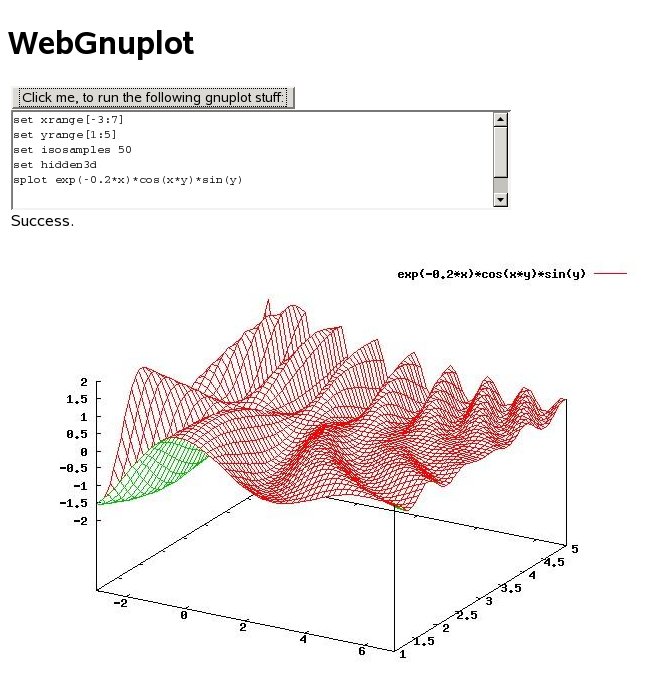
I got the following result:
Additional Information:

  • User Libraries: ‘GWT’ and ‘WebGnuplot’ (See the resources section)
  • GWT is a client centric framework
  • It is possible to let GWT create you an Eclipse project if you want an easy access to compilation etc. (I didn’t try this…).
  • There is a NetBeans plugin, which makes development very easy (without that I wouldn’t have figured out where my configuration mistake was…).
  • You will have to replace the linux specific jar by the jar of your OS. But I don’t know how to generate a compile and a shell script for this specific project. Normally you would run the ‘applicationCreator’.
  • I needed an extra servlet, which returns the image as OutputStream
  • License: APL 2.0

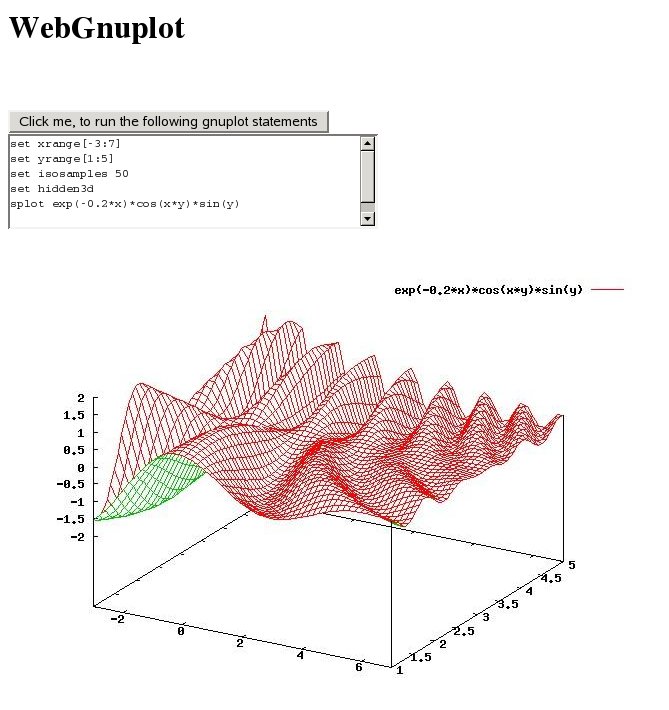
JSP

JSP was (and is?) the standard technology for a lot of companies to create web projects. It works similar to ASP.

To get started it takes me only approx. one hour.

Here you can see the result:
Additional Information:

  • User Libraries: ‘WebGnuplot’ and ‘Servlet API’ (See the resources section)
  • I needed an extra servlet, which returns the image as an OutputStream
  • License: APL 1.1

Thinwire

Thinwire’s last published version is relative old – maybe the authors skipped the development.

Update: This is not true. Look here and here.

I think it is easy to get started (approx. 50 minutes). Although I had some problems:

  • You will have to set the bounds of every component explicitly – this makes it really ugly if it comes to computer generated interface (e.g. Strings withing Labels).
  • It is not easy to display dynamically generated images to the client. Unlike echo and wings, we need here an ImageServlet for this work like e.g. in JSP and GWT.
  • And I had to use the Button class to display an image, because the Image class does not work. This was the reason that it took relatively long to get it working.

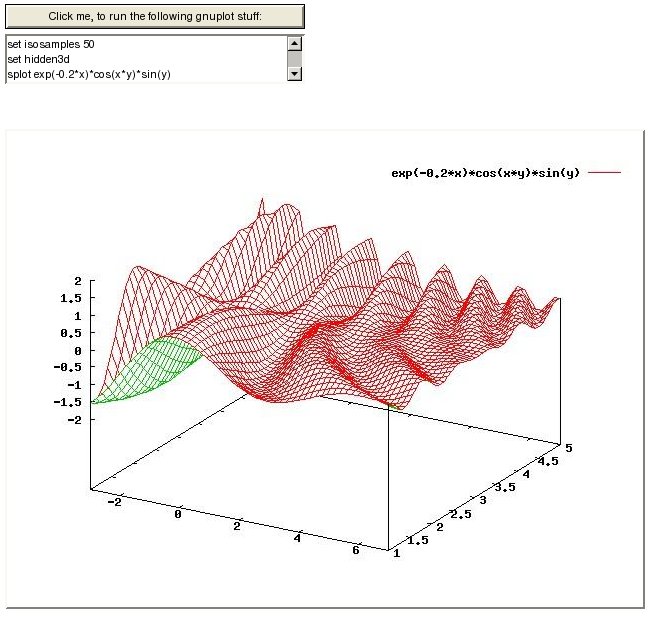
Result:
Additional Information:

  • If an exception raises you will get a window with the message and a full stack trace!
  • User Libraries: ‘Thinwire’, ‘WebGnuplot’ and ‘Servlet API’ (See the resources section)
  • I needed an extra servlet, which returns the image as an OutputStream
  • License: LGPL

Wicket

In Wicket you will only be successful, if you know some basics in HTML. You will embed the components via HTML tags and access them from Java via id’s. Although it seems to be complicated I got it within one hour. Maybe that was because of the provided example from JFreeChart forum. I think Wicket will integrate well in existing environment based e.g. up on pure Servlets or JSP.

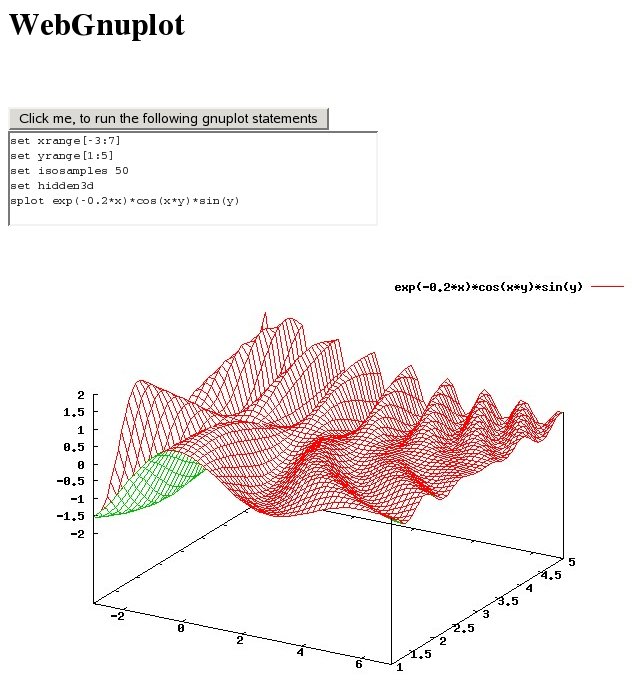
Result:
Additional Information:

  • User Libraries: ‘Wicket’ and ‘WebGnuplot’ (See the resources section)
  • License: APL 2.0

WingS

It was even a little bit easier than Echo to get started (less than 20 minutes), because there is a class SImageIcon which takes a BufferedImage as parameter in one of its constructors. So I haven’t to use the documentation – I just used auto-completion of the IDE.

You will get a typically ‘waiting cursor’, if the respond of the server takes too long. My feeling was that WingS was a little bit slower than e.g. Echo with the task of displaying the image after I pressed the button.

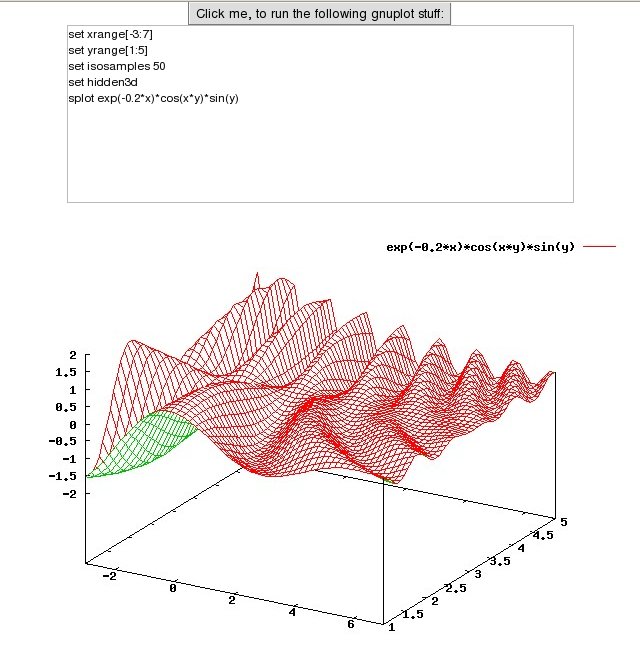
Here is the result:
WingS Result

Additional Information:

  • User Libraries: ‘WingS’ and ‘WebGnuplot’ (See the resources section)
  • License: LGPL

ZK

It took relative long to get started. 3 or 4 hours. Now I know the steps you have to do:

  1. You will have to understand how to create a zul file for your UI. But there is a demo application on the web site, where you can find a common usage of every component.
  2. You will have to understand how to get information from the client via Path.getComponent(“/zkWindow/error”); and
  3. how to push the results to the client via:
    AImage image = new AImage(“Image”, bytes);
    myimage.setContent(image);

But after understanding how zk works, it was easy for me to create the necessary classes and zul files. The default layout is very nice I think. But please look here for yourself:
Additional Information:

  • User Libraries: ‘ZK Framework’ and ‘WebGnuplot’ (See the resources section)
  • License: GPL or Commercial

Resources

You can find all examples as Eclipse projects here. All my code stands under public domain if not otherwise stated. So you can do what you want with them (I.e. for all purposes: commercial etc.).

Try the following procedure to get it working:

  • Install gnuplot and adjust the command line in de.wg.core.GnuplotHelper e.g. for windows it is C:\GPpath\gnuplot.exe I think (I used linux).
  • Then you will need a webserver (I used tomcat) and adjust the location of your webapps folder in all the build.xml files.
  • Build the WebGnuplot project to create the jar in the dist folder (run the build task of build.xml) and change the location of this project in all examples (ant/build.xml).
  • Build all the examples: just run all the ‘build’ ant tasks.

I splitted the examples into several eclipse projects to avoid conflicts (e.g. more than one project uses beanshell) and to compile them independently.

You will have to set up the user libraries for Eclipse to make auto-completion possible. You should put the project specific JAR-files into a subdirectory ‘lib’ of every project.

Define the following user libraries:

  • WebGnuplot: WebGnuplot.jar
  • Servlet API: servlet-api.jar e.g. from tomcat’s common/lib folder.

  • Click: 1 file, 1.8 MB, version: 1.4
  • Echo: 3 files, 0.457 MB, version: 2
  • GWT: 3 files, 11.8 MB, version: linux-1.4.61
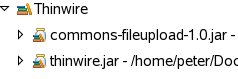
  • Thinwire: 2 files, 0.481 MB, version: 1.2 RC2

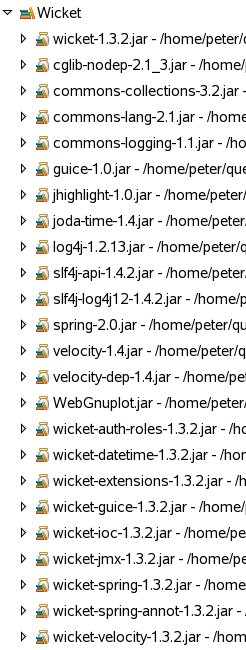
  • Wicket: 23 files, 8.2 MB, version: 1.3.2
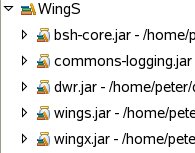
  • WingS: 5 files, 2.3 MB, version: 3.2

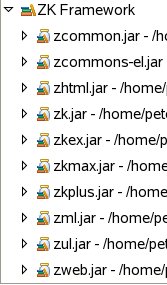
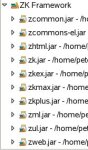
  • ZK Framework: 31 files, 19.9 MB, 3.0.3
Maybe you have some usage from the following list, which is based on information from ohloh:

  • Click with 1-3 developer
  • Wicket with at least 4 developer
  • GWT with at least 4 developer
  • Thinwire with 1 developer
  • Echo with 1 developer
  • WingS at least 2 developer
  • ZK Framework at least 5 developer

Please correct my assumptions if I they are wrong!

You can find a slightly modified version of this article on javalobby, where it is also possible post comments.

Conclusion

And the winner is …. my brain, hehe.

But which project is the best one? It depends! Do you need commercial support? Do want to integrate it into an existing project e.g. with a pure Servlet solution? Do you want to integrate the UI tests in your regular tests? And so on.

Try the examples or look into the source to get a feeling of ‘how to work’ with a specific framework.

I hope you will have fun!
First Steps in Eclipse

Why Eclipse?

Some days in the past I decided to try out eclipse 3.3.2. A lot of people are using it here in Germany and especially companies develop new plugins for it – it is a kind of an industry standard. I always felt a little bit hassle when people are talking about eclipse and say it is better than NetBeans. I only knew NetBeans, so I didn’t know if and where they are right and where not. So this blog entry collects some experiences I made while exploring eclipse.

Please, feel free to post your favorite eclipse feature as a comment.

Day 1

I explored the following features:

  • Generating the serialVersionUID for serializeable classes – just with one click (CTRL+1).
  • Spell checking while editing! Very useful!!
  • Eclipse suggests possible keybord bindings if you e.g. type SHIFT+ALT+X. This is especially useful for newbies or for discovering features of e.g. new versions.
  • I have the feeling that the startup is faster and the GUI is more responsive in the first minutes (compared to NB 6.0), although sometimes something strange happens and the IDE freezes for several ten seconds (?).

and the following drawbacks:

  • Fat size for pure Java Developer package (approx. 80 MB for gtk download)
  • For every OS you have to download another package (there is and will be no such OS independent zip, because eclipse is based on SWT, right?)
  • I don’t understand the workspace concept -wherefor we need it?? My friend Gregor explained it to me. If you have several big projects, where each big project has several eclipse projects. Then every big project gets its own workspace, which can save different properties, like default JDK etc.

Day 2

My friend Gregor – the author of Moonlight | 3D – explained me some more details of eclipse. Thanks to him, again!

Pros:

  • Formatting of Java (or xml) code can be done via CTRL+SHIFT+F. But here the greate difference to netbeans is that you can define different formatting styles for each project and apply them via this keyboard shortcut! Access this via: Right click on the project->Properties->Java Code Style-> Formatter->Enable project specific settings
  • It is possible to add necessary and remove unnecessary imports via CTRL+SHIT+O. The great thing here is, that you can apply this action on several files easily. Via clicking on a package (with several files in it) and press the short cut (or right click the package->Source->Organize Imports). The same is true for formatting the source code.
  • If you want that the debugging will break on every exception (dynamic breakpoint creation), then enable this via: (Menu) Run->Add Java Exception Breakpoint
  • Update process can be done in background (Update via: Help->Software Updates)
  • Mylyn is a great tool for bug tracking. You will indirectly assign source files to bug reports.
  • There are several plugins available; even commercial. And a lot of vendors publish there adapted version of the eclipse IDE to make it easier for the user.

Cons:

  • The plugin and distribution hell – there are a lot of plugins, which are useful for basic Java development, but are not installed per default. E.g. the VE (Visual Editor for Swing or SWT development) is currently not available for eclipse 3.3.
  • There is a profiler, but Gregor means that it is the hell to run it (compared to the netbeans one.)

Good to know:

  • TPTP = Test Performance Tools Platform
  • Feature Overview via Help->About Eclipse Platform->Feature Details. A feature is a set of plugins.
  • Execute a Java program via F11 and debug it with CTRL F11.
  • Rename a variable (etc.) with ALT+SHIFT+R
  • Subversion via right click on the project->Team. Then: ‘Share…’ means import into a new repository. You can install Subclipse or Subversive to use this.
  • Find Usage via ‘References’ (Right click in the source editor)
  • There are two preferences of the Java editor: Window->Preferences->Java->Editor->General->Editors or Window->Preferences->General->Editors

Conclusion

Eclipse is a nice IDE for Java development and now I know why people are happy with eclipse, although I think NetBeans offers a compareable rich set of features. Maybe every IDE has its scope of usage. I think the reason for the ‘IDE war’ is not that one tool is better than another (this would be too easy), but it is more a war of some people to legitimate their laziness to NOT trying the other IDE(s) in detail. A future candidate for me is definitely IntelliJ, which is free for open source projects.

For some great video tutorials look here.

Diplomarbeit

Heute hab ich meine Diplomarbeit abgegeben:

Maker-Fringe-Messungen an Gallium-Selenid- und Saccharose-Kristallen.

Interessant fĂŒr den Java Programmierer ist dann evtl. mein Messprogramm Nonlinear Optic Tools (nlo) – in Java und C mit NetBeans geschrieben.

Auf Anfrage kann ich gerne die Quellen fĂŒr Latex, gnuplot und die Bilder (mit inkscape bzw. xfig erstellt) veröffentlichen.

Eclipse and Spring in Small Doses

Introduction

Today I will write about a tutorial for spring and eclipse beginners. The original ‘Spring in Small Doses’ was posted here from Tiago Brito Spindola. Because I never really used eclipse I will try to describe additional steps, which will be necessary for eclipse newbies and I hope someone could benefit from it.I am a NetBeans user from 3.4 on, so I hope exploring eclipse features will be interesting and fun. For a nice comparison look here.

I chose the spring-tutorial, because the title suggested it could not get really difficult. As you will notice later the sources are well organized and you will learn concepts like ‘dependency injection’, too (if not already done).

Lets Start With The First Example

Download the four necessary things described in the tutorial:

Some questions related to eclipse arises in the following order, while I go through this example.

At the very first you have to define some user libraries.

How can you define user libraries with eclipse?

With Window->Preferences; Java->Build Path->User Libraries. (You could search within this window – nice!) you can do this.

Hint: I couldn’t find derby in the jdk path, but you can get the latest version here (I used 10.3.2.1). By the way: what is a workspace? Why you need it? If you have multiple projects opened? Or why?

Now it is time to compile the example files. To do so, you have to import the existing sources into eclipse.

How can you import existing projects?

  1. Window->Show View->Other; Search for ‘Project’->Select ‘Project Explorer’
  2. Right click into the window and click ‘import’
  3. Expand the ‘General’ node and select ‘Existing Projects into Workspace. Press ‘next’.
  4. Browse to the location of the root of example one and press ‘Finish’.

Now you are done with it and can close the project via right clicking on the project node and click ‘Close Project’. Go further with

The Second example

Import ‘Report Engine – Part 2’ like described above and right-click the root node of this project. Now go to ‘Run As …’->Java Application and choose ReportViewerStarter as main class. Or type Shift+Alt+x and then j – you will see a popup menu with all possible key combinations before you will type the ‘j’ – this is a nice eclipse feature to learn key bindings! Now you can type in countries and you will see some content in the table.

If you select SpringReportViewerStarter you will see the same frame – but it is different! Because now the sources doesn’t directly rely on the spring libraries!

Go on with

The Third Example

In this part the author of the original tutorials wants to use a database table instead of the file for the country data. You would say: ‘ups I will recreate the program from the scratch or what !? No, this is not necessary, because the author created the program with this ‘feature’ in mind and uses the spring libraries. But maybe he wouldn’t have this in mind – we always benefit from spring, because we decouple implementations from interface and the implementation even could change while running the program. So with spring libraries you are very flexible for later changes.

You will only need some changes to the configuration files and add a new jdbc factory class.

For this example you have to fill the database (derby) with some values. Derby is a really nice, small, powerful and secure database. I used it for my own projects.

How to set up derby?

Find the ‘derby.xml’ file in the ant folder. Then proceed as follows:

  1. Start the server with: Right click derby.xml and ‘Run As’->’Ant Build…’; Deselect ‘usage’ and select ‘start’. Then click ‘Run’. It is possible that you have to set the property derby.home to e.g. /home/peter/programs/derby. You can do this in this (ant-build) dialog: select the tab ‘Properties’ and deselect ‘Use global properties ..’. Then click ‘Add Property…’ and type in your necessary value for the folder.
  2. Fill the database via right-clicking on derby.xml and then click ‘Run As’->’Ant Build…’. Deselect the ‘start’ item and select ‘create’. Then click ‘Run’. You should get the following message: ‘246 of 246 SQL statements executed successfully’ after some hard disc activity.
  3. Now run it as a Java-App: ‘Run As …’->Java Application and choose SpringReportViewerStarter as the main class.

Now, if you are finished, close the project and go on with

The Last Example

In this example you will again benefit from the ‘dependency injection’ pattern, because you will write a web GUI (via JSP) to query the database (-server).

Before building the war file you will have to set the properties spring.home and derby.home to an appropriated value. This was described in the previous example.
Now we can build the war file: Right click the build.xml file and choose ‘Run As’->’Ant Build’.

But how you can deploy a war file?Copy the war file to TOMCAT_HOME/webapps/. Go to the tomcat 5.5. folder where you decompressed it. Go deeper into the ‘bin’ folder and start tomcat:

JRE_HOME=/usr/java/latest && ./startup.sh
(In my case I had to change the default java home directory – thatwhy I added the JRE_HOME stuff.) Then go to: http://localhost:8080/ with your firefox browser 😉 and you will see the typical tomcat start page. If you seek for a better solution to handle deployment, this eclipse plugin could be useful for you. Another kind of deploying is to go to the ‘Tomcat Manager’ on the left of the side and then upload the war file. For this procedure you will need to set up a user with manager privileges. To do this go to the folder: conf/tomcat-users.xml and insert the following line, which ‘creates’ a user called ‘manager’ with manager privileges and mmaa123 as the password:

<user username=”manager” password=”mmaa123″ roles=”manager”/>

Now with the browser go to:

http://localhost:8080/report-engine/countries.view

And you will see the list of countries as html in your browser.

The author even implements the Swing GUI for this example, i.e. the report engine will be running on the top of tomcat and the data will be transferred through a spring library. For this you should run the project as Java Application and choose SpringReportViewerStarter. If you don’t believe it, you can shut down tomcat via ./shutdown.sh. Then you will get a RemoteConnectFailureException if you click on the ‘Refresh’ button within the Swing GUI, which indicates that the program really needs tomcat 😉

Conclusion

I hope I could show you how to get started with eclipse and furthermore the author of the ‘Spring in Small Doses’ could show you how to get started with Spring.

Finally I want to thanks Tiago Brito Spindola for his tutorial. For me his tutorial was very easy to follow, although I am an eclipse beginner.

Maybe other users know a better way of doing things in eclipse. Please let me know and feel free to leave your comments here.

Job

English

Has somebody a job for me? For my curriculum vitae and further information about myself look here. I would prefer a job as a programmer (or leader) or as a software architect. I learned several things about developing large application in several open source projects I created:

  • object oriented desing and desing patterns (My wife bought me this here. ;-))
  • junit testing
  • creating ant task
  • lookup concept

One of my dreams would be to develop a timetabling suite like my open source project gstpl. It would be a plus, if I can do this in Java with NetBeans. But I am flexible at this point and I like to learn new things.

In one year I will be flexible to change my current location (Bayreuth, Germany). But at the moment it should be either Bayreuth or cities close to it. Another solution would be working from home office or working only half a full timejob, because of my family.

If you are interested, please contact me!

Deutsch

Haben Sie einen Job fĂŒr mich? Hier finden Sie meinen Lebenslauf und weitere Informationen ĂŒber mich. Eine Arbeit als Programmierer (evtl. leitender Programmierer) oder als Software Architekt wĂŒrde mir gefallen. In zahlreichen ‘open source’ Anwendungen habe ich viele nĂŒtzliche Dinge gelernt die mich befĂ€higen auch große Anwendungen zu schreiben. Als Physiker habe ich es gelernt komplexe AblĂ€ufe und ZusammenhĂ€nge zu analysieren und Konzepte fĂŒr eine Lösung zu erstellen.

Einer meiner TrÀume wÀre es die Dinge, die ich wÀhrend der Programmierung von gstpl erlernt habe, anzuwenden bzw. das Programm zu erweitern.

Wenn in ihrer Firma mit Java bzw. NetBeans gearbeitet wird, bitte sprechen Sie mich an! Aber in dieser Hinsicht bin ich flexibel und ich lasse mich gerne und schnell auf neue Dinge ein.

Leider bin ich erst in einem Jahr örtlich flexibel. Momentan wĂŒrde nur Bayreuth und Umgebung in Frage kommen. Halbtags oder von zu Hause aus wĂ€ren auch Möglichkeiten die ich mir vorstellen könnte.

Hier finden Sie meine Kontaktinformationen.

Standard Timetabling Format

Today I will again promote my timetabling project 😉

To recreate a new Java-based Timetable Suite called TimeFinder some people and I want to create a standard timetabling format before going further.

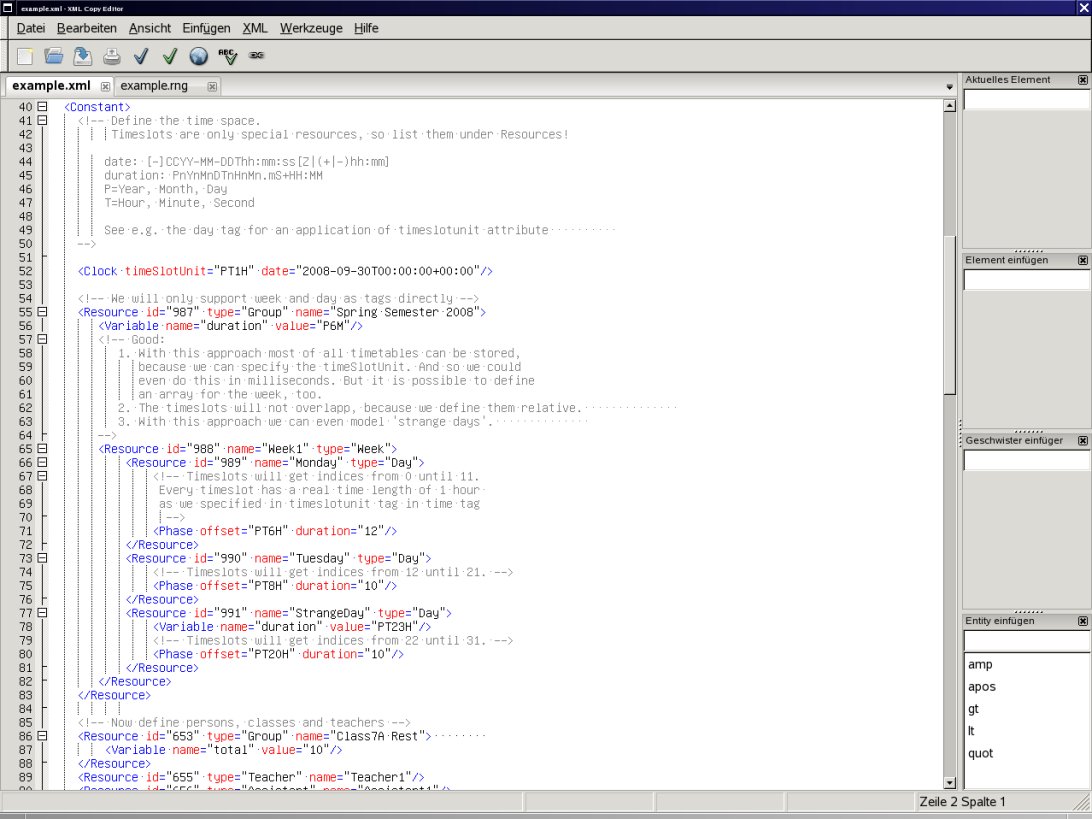
Today I released a new draft 0.3 of this discussion with an example xml file that was created with the xml copy editor:

Excerpt of draft 0.3 of the standard timetabling format

Therefore I had to use Relax NG and I will use relaxer: http://www.relaxer.jp/documentation/ to create Java classes from it. For more information on this subject see my blog about Relax NG.

The format should help to improve interoperation of open source, university and commercial timetabling applications. To my knowledge all applications use different formats. The only wider accepted standard is TTML, but it gets complicated for the ‘normal’ developer and unusable for the user. Taken from here there they said:
Perhaps, the main reason these languages have not been adopted as standard is that
they offer no advantages to the user over any traditional programming language.
These idealistic languages do not simplify the modelling process, and can even be
restrictive in that they do not have all the features of a modern programming
language, are overly complicated or appear cumbersome.

For the latest information of the progress of the ‘Timetabling Standard Format’ visit the discussion here and look at the TimeFinder project.

Lizenztext und Benutzername | Custom License-text and User-name for NetBeans

Ich habs endlich hinbekommen: jede neue Datei trÀgt meinen Name als @author und meine eigene Lizenz im Dateikopf.

(For the english version see below)

Eigener Lizenztext

Zuerst mĂŒsst ihr den Lizenztext z.B. nach /home/user/quell/license-lgpl.txt kopieren. Der Name dieser Datei ist dabei wichtig.

Als nÀchstes in der projekt-spezifischen Datei nbproject/project.properties

project.license=lgpl

einfĂŒgen. Z.B. innerhalb NetBeans: Einfach euer Projekt in der Dateiansicht ‘File’ öffnen.

Jetzt mĂŒssen wir NetBeans noch sagen wo die Datei license-lgpl.txt steckt:

WĂ€hle in Tools->Templates den Knoten ‘Licenses’ aus und

suche mittels ‘Add..’ die vorher kreierte Datei /home/user/quell/license-lgpl.txt.

Diese sollte dann unter Licenses hinzugefĂŒgt worden sein.

Nun einfach mittels Rechtsklick auf ein Java Paket ausprobieren:

New->Java Interface auswĂ€hlen und ‘Constraint’ eingeben.

VerÀnderter Benutzername

Dies ist ein Trick von Geertjan. Die User.properties öffnen:

in Tools->Templates->User Configuration Properties->User.properties

Dort einfach einfĂŒgen

user=Peter Karich, peat_hal ‘at’ users ‘dot’ sourceforge ‘dot’ net

English Translation

I have solved the problem in the latest NetBeans 6.1: every new file has my name as a value for the @author attribute and my own license text as header.

Your own license text

First of all you have to copy your license text e.g. to /home/user/quell/license-lgpl.txt. The name of this file is important.

As a next step go into the project specific file nbproject/project.properties and add

project.license=lgpl

E.g. with the files window within NetBeans.

Now you have to specify that you want to use this file as license text:

Go to Tools->Templates and choose ‘Licenses’ then search via ‘Add..’ the previously created file /home/user/quell/license-lgpl.txt.

To test it right click on a java package and choose:

New->Java Interface auswĂ€hlen; then type ‘Constraint’ and you should see the license header.

Here is an example of an adapted apache header:

<#if licenseFirst??>
${licenseFirst}
</#if>
${licensePrefix}This file is part of the TimeFinder project.
${licensePrefix}Visit http://www.timefinder.de for more information.
${licensePrefix}Copyright ${date?date?string(“yyyy”)} the original author or authors.
${licensePrefix}
${licensePrefix}Licensed under the Apache License, Version 2.0 (the “License”);
${licensePrefix}you may not use this file except in compliance with the License.
${licensePrefix}You may obtain a copy of the License at
${licensePrefix}
${licensePrefix} http://www.apache.org/licenses/LICENSE-2.0
${licensePrefix}
${licensePrefix}Unless required by applicable law or agreed to in writing, software
${licensePrefix}distributed under the License is distributed on an “AS IS” BASIS,
${licensePrefix}WITHOUT WARRANTIES OR CONDITIONS OF ANY KIND, either express or implied.
${licensePrefix}See the License for the specific language governing permissions and
${licensePrefix}limitations under the License.
<#if licenseLast??>
${licenseLast}
</#if>

Change your user name

This trick is from Geertjan. Open User.properties in Tools->Templates->User Configuration Properties->User.properties

Replace all stuff with

user=Peter Karich, peat_hal ‘at’ users ‘dot’ sourceforge ‘dot’ net

and you are done.

Dankeschön NetBeans und Co

…. und ein großes Dankeschön geht an ….

NetBeans!

Warum?

Ich arbeite schon seit ein paar Jahren an einem Stundenplaner – ein Open Source Projekt names gstpl. Und NetBeans war immer an meiner Seite (in schweren wie in guten Zeiten … :-), Java natĂŒrlich auch…

Vor ein paar Monaten began ich dann einen Algorithmus aufzuschreiben (einige der Ideen hatte ich schon ein paar Jahre vorher) um an einem Wettbewerb teilzunehmen. Die ‘Deadline’ dafĂŒr war heute Mittag und ohne NetBeans hĂ€tte ich wohl nie auch nur annĂ€hernd recht gute Ergebnisse erziehlt. Und neben meiner Physik-Diplomarbeit und anderen wichtigen Dingen im Leben hatte ich eigentlich gar keine Zeit 😉 Die ProduktivitĂ€t ist mit Java+NetBeans (‘javne’) im Gegensatz zu ‘frĂŒher’ mit C++ – fĂŒr mich gesprochen – um den Faktor 4 gestiegen.

Was heißt nun gute Ergebnisse? Wenn man mit ‘Stundenplanen’ anfĂ€ngt so stellt sich die Frage: ‘Gibt es den optimalen Stundenplan’ fĂŒr ein bestimmtes Problem? Ja, den gibt es! Nur wĂŒrde es ziemlich lange dauern diese zu finden. Man muss ja alle Lösungen durchgehen und dann auch verifizieren, dass es die Beste ist… Man versucht also Methoden zu finden die in annehmbarer Zeit (auf meinem PC hatte ich im Wettbewerb ca. 11 Minuten) eine möglichst gute Lösung finden können. Sie sollten also ein ausgewogenes Maß an ‘aktuelle Version verbessern’ und ‘gĂ€nzlich neue Lösung finden’ besitzen.

Etwas konkreter: Es gab ein paar Personen (z.B. 1000) die FĂ€cher (insgesamt z.B. 400) gewĂ€hlt hatten. Ist es nun möglich einen Stundeplan zu bauen der keine Konflikte beinhaltet? Ein Konflikt kann z.B. auftreten, wenn eine Person zwei FĂ€cher zur selben Zeit besuchen soll oder wenn zwei FĂ€cher in einem Raum (ach ja die gab es ja auch noch, z.B. 10) stattfinden sollten. Bei bestimmten FĂ€chern musste man auch noch deren relative Reihenfolge zueinander beachten und bestimmte FĂ€cher hatte auch noch Anforderungen an RĂ€ume (Chemie kann ja nur in RĂ€umen mit mind. einem Bunsenbrenner stattfinden). Wenn all dies passt – fĂŒr alle Personen und RĂ€ume – so nennt man den Stundenplan konfliktfrei (no hard constraint violations) – er ist aber noch lange nicht optimal. Man sollte bei dem Wettbewerb auch noch die ‘weichen’ Nebenbedingungen optimieren: Z.B. sollten Personen möglichst nicht nur ein Fach pro Tag haben usw.

Ihr seht eine Menge Dinge gab es zu Beachten und zu tun. Ich musste außerdem noch die Geschwindigkeit optimieren (mit nem Profiler) da ich wahrscheinlich nur C++/C – Projekte als Konkurenz haben werde bzw. ‘hatte’.

Nebenbei habe ich versucht möglichst viele Sachen mit JUnit zu testen, damit die Jury nicht irgendwelche Bugs findet bzw. das Programm auch bei den noch nicht zugÀnglichen Dateien (hidden datasets) funktioniert.

Mit NetBeans alles kein Problem… Ein besonders cooles Feature ist die Local History, die mir ganz schnell die Unterschiede einer Datei zu versch. Zeitpunkte (auch von vorvorvorgestern) anzeigen konnte:

Local History

Außerdem hat die ‘unused Variable’-Warnung einige Bugs verhindern können, da ich dann z.B. gemerkt hatte, dass in einer Schleife nicht die lokale Variable, sondern der VariablenzĂ€hler genutzt wurde:

Unused Variables

Außerdem geht ein Dankeschön an folgende Projekte:

  • GNU screen – damit ich an einem schnelleren Rechner Tests starten konnte und diese auch Laufen wĂŒrden, wenn mein Rechner aus ist. Siehe dazu auch Ă€ltere BlogeintrĂ€ge.
  • YourKit Profiler – Eine propritĂ€re Konkurenz zum NetBeans Profiler.
  • KDE svn ein Linux subversion client

Language Shoot-Out

It is nice to have an impression in which programming language others write their programs.

TIOBE publishes a comparison on how popular a language is in the community (based on Google, MSN, Yahoo!, and YouTube searches)

Hopefully there will be (some day) more informations about that. E.g. how many projects registered on sourceforge, freshmeat, (not javaforge of course) etc. used a specific language and how much lines were written for these projects. This would be interesting. But of course every language has its pros and cons…

Although you can see a slightly decrease (except for C#) of the major languages like Java, C++ and C. Scripting languages have gain and will gain more importance – if hardware performance and number of available libraries will increase.

Java Kernel released

The first version of the java kernel released! So you can download a file which is less than 1MB and ‘immediately’ run java applications (or WebStart etc.)

Currently this ‘feature’ is only available for windows XP (or lower), but I am sure that the packages for other OS’s will come in the near future.

Check here for updates.