 I took the opportunity to see how easy or difficult it is to implement a “shadow motion effect” in JavaFX. The effect is described in a post from Lam Nguyen and he implements it in jQuery in 5 lines.
What do we need to do this in JavaFX? Is this possible at all?
Yes it is possible and it was easy, fast (~10 min) and IMHO it looks nice. BTW: It is not only an animation – you can drag it:
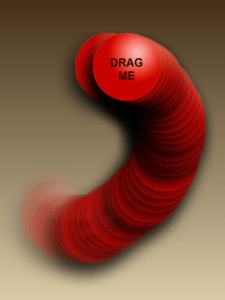
1. Create a new JavaFX project in NetBeans and choose ‘Drag and Drop’.
2. Then adapt the DragBehaviour to the following. The necessary changes are minimal and marked with HERE:
 // HERE: change 1 line
 public var targetGroup: Group;

 public var targetWidth: Number;
 public var targetHeight: Number;
 public var maxX = 200.0;
 public var maxY = 200.0;
 var startX = 0.0;
 var startY = 0.0;

 init {
 // HERE: +1 line
 var target = targetGroup.content[0];

 target.onMousePressed = function (e: MouseEvent): Void {
   startX = e.sceneX - target.translateX;
   startY = e.sceneY - target.translateY;
 }

 target.onMouseDragged = function (e: MouseEvent): Void {
 var tx = e.sceneX - startX;

 // HERE +7 lines
 var cloned = Duplicator.duplicate(target);
 insert cloned into targetGroup.content;
 FadeTransition {
   node: cloned fromValue: 1 toValue: 0 duration: 0.5s repeatCount: 1
   action: function () {
      delete cloned from targetGroup.content;
   } }.play();

 if (tx < 0)
    tx = 0;

 if (tx > maxX - targetWidth)
    tx = maxX - targetWidth;

 target.translateX = tx;
 var ty = e.sceneY - startY;
 if (ty < 0)
   ty = 0;

 if (ty > maxY - targetHeight)
   ty = maxY - targetHeight;

 target.translateY = ty;
 } // onMouseDragged
 } // init
3. Drag it yourself or try it out now: 
 Navigatone